PostgreSQL
Vanilla Postgres with 437 Extensions
This is the multi-page printable view of this section. .
Pigsty supports various PostgreSQL kernels and compatible forks, enabling you to simulate different database systems while leveraging PostgreSQL’s ecosystem. Each kernel provides unique capabilities and compatibility layers.
Vanilla Postgres with 437 Extensions
Native Distributive Extension
SQL Server wire-compatible
Oracle grammar & PL/SQL compatible
MySQL wire-compatibility
Transparent Data Encryption
OLTP-optimized cloud-native storage engine
Aurora-like RAC with china domestic compliance
Backend as a Service, self-hosting Firebase
Mongo Wire-Compatibility over PostgreSQL
Flexible Kernel: Choose the right kernel for your specific use case - whether you need MSSQL compatibility, Oracle features, or horizontal scaling capabilities.
| Kernel | Key Feature | Description |
|---|---|---|
| PostgreSQL | Original Flavor | Vanilla PostgreSQL with 437 extensions |
| Citus | Horizontal Scaling | Distributive PostgreSQL via native extension |
| WiltonDB | SQL Server Migration | SQL Server wire-compatibility |
| IvorySQL | Oracle Migration | Oracle Grammar and PL/SQL compatible |
| OpenHalo | MySQL Migration | MySQL wire-protocol compatibility |
| Percona | Transparent Data Encryption | Percona Distribution with pg_tde |
| FerretDB | MongoDB Migration | MongoDB wire-protocol compatibility |
| OrioleDB | OLTP Optimization | Zheap, No bloat, S3 Storage |
| PolarDB | Aurora flavor RAC | RAC, China domestic compliance |
| Supabase | Backend as Service | BaaS based on PostgreSQL, Firebase alternative |
| Cloudberry (WIP) | MPP DW & Analytics | Massively parallel processing database warehouse |
Citus Native Distributive
Citus transforms PostgreSQL into a distributed database system, enabling horizontal scaling across multiple nodes. Deploy native HA Citus clusters with Pigsty for better throughput and performance.
Planning Required: Proper shard key selection is crucial for optimal performance and avoiding cross-shard queries.
Babelfish SQL Server Wire Compatible
SQL Server Compatible
Beta
Create SQL Server-compatible PostgreSQL clusters with WiltonDB and Babelfish, providing wire protocol-level compatibility with Microsoft SQL Server.
Migration Path: Ideal for organizations looking to reduce licensing costs while maintaining existing SQL Server application compatibility.
Babelfish Oracle Grammar Compatible
Run Oracle-compatible PostgreSQL clusters with the IvorySQL kernel, open-sourced by HighGo, providing Oracle syntax and feature compatibility.
Enterprise Focus: Particularly valuable for enterprises with significant Oracle investments looking for migration paths.
OpenHalo MySQL Wire-Compatible
The OpenHalo kernel provides MySQL-compatible PostgreSQL functionality, accessible using standard MySQL clients and protocols.
Early Stage: Currently experimental - evaluate thoroughly before production use.
OrioleDB OLTP Optimized Cloud Native
A PostgreSQL storage engine optimized for OLTP workloads, eliminating transaction ID wraparound issues and table bloat while supporting cloud storage.
Compatible with PostgreSQL 17, Available on all support platforms.
Early Stage: Currently in Beta - evaluate thoroughly before production use.
PolarDB Aurora Flavor RAC
Replace vanilla PostgreSQL with PolarDB PG, an open-source Aurora-like solution similar to Oracle RAC with shared storage architecture.
Cloud Architecture: Designed for cloud environments with disaggregated compute and storage.
Supabase Backend as a Service
Self-host Supabase with existing managed HA PostgreSQL clusters, launching the stateless components with docker-compose for a complete Firebase alternative.
Full Stack: Provides a complete backend solution with PostgreSQL as the foundation.
Cloudberry MPP Data Warehouse
Install and monitor Greenplum / Cloudberry / YMatrix MPP clusters with Pigsty for large-scale analytical processing and data warehousing.
Enterprise Analytics: Designed for enterprise-scale analytical workloads requiring massive parallel processing capabilities.
PostgreSQL is the most advanced & popular open source database in the world.
Pigsty supports PostgreSQL 13 ~ 18, and provides 437 extensions alone with it.
install Pigsty’s with the pgsql config template.
Most of the config template is use the PostgreSQL kernel by default, such as:
meta : DEFAULT, postgres with core extensions (vector, postgis, timescale)rich : postgres with all extensions installedslim : postgres only without monitor infrafull : the 4-node sandbox for HA demonstrationpgsql : the minimal postgres kernel config example (THIS CONFIG)Nothing special needs to be tuned for vanilla PostgreSQL kernel:
To use a different PostgreSQL major version, you can configure with -v parameter:
If PostgreSQL cluster is already installed, you’ll need to uninstall it before installing the new version
To use PostgreSQL beta version (19 not released), you’ll also need to add the beta repo to your node_repo_modules
(or repo_modules if you are building a local repo)
The configure will do that for you if you are use the -v 19 argument:
Beware Pigsty is not build extensions for PostgreSQL 19 yet, so only those existing extensions in the PGDG repo are currently available. We will start building them after the PostgreSQL 19 is released.
To setup a multi-node PostgreSQL cluster, you can check the PGSQL: Configure for details:
This is the example 3-node pg-test cluster in the full config template:
Citus is a PostgreSQL extension that transforms PostgreSQL into a distributed database, enabling horizontal scaling across multiple nodes to handle large amounts of data and queries.
Since Patroni v3.0, native support for Citus high availability has been provided, simplifying the setup of Citus clusters. Pigsty also offers native support for this.
Pigsty v3.7.0 pins the Citus template to PostgreSQL 17; Citus packages are not available for PostgreSQL 18 in this release.
Pigsty natively supports Citus. Refer to conf/citus.yml.
This example uses a four-node sandbox with a Citus cluster named pg-citus, consisting of a two-node coordinator cluster pg-citus0 and two worker clusters pg-citus1 and pg-citus2.
Compared to a standard PostgreSQL cluster, Citus cluster configuration has some specific requirements. First, ensure that the Citus extension is downloaded, installed, loaded, and enabled. This involves the following four parameters:
repo_packages: Must include the citus extension, or you need to use a PostgreSQL offline package with the Citus extension.pg_extensions: Must include the citus extension, meaning you need to install the citus extension on each node.pg_libs: Must include the citus extension, and it must be first in the list, but now Patroni will automatically handle this.pg_databases: Define a primary database with the citus extension installed.Additionally, ensure the configuration for the Citus cluster is correct:
pg_mode: Must be set to citus to inform Patroni to use the Citus mode.pg_primary_db: Specify the primary database name, which must have the citus extension (named citus here).pg_shard: Specify a unified name as a prefix for all horizontal shard PG clusters (e.g., pg-citus).pg_group: Specify a shard number, starting from zero for the coordinator cluster and incrementing for worker clusters.pg_cluster: Must match the combination of [pg_shard] and [pg_group].pg_dbsu_password: Set a non-empty plain-text password for proper Citus functionality.pg_parameters: It is recommended to set the citus.node_conninfo parameter, which enforces SSL access and requires node-to-node client certificate verification.Once configured, deploy the Citus cluster just like a regular PostgreSQL cluster using pgsql.yml.
After defining the Citus cluster, use the same playbook pgsql.yml to deploy the Citus cluster:
Any DBSU user (postgres) can use patronictl (alias: pg) to list the status of the Citus cluster:
Each horizontal shard cluster can be treated as a separate PGSQL cluster, managed with the pg (patronictl) command. Note that when using pg to manage the Citus cluster, the --group parameter must be used to specify the cluster shard number:
Citus has a system table called pg_dist_node to record node information, which Patroni automatically maintains.
Additionally, you can view user authentication information (restricted to superusers):
You can then access the Citus cluster with regular business users (e.g., dbuser_citus with DDL permissions):
When using a Citus cluster, we highly recommend reading the Citus Official Documentation to understand its architecture and core concepts.
Key to this is understanding the five types of tables in Citus, their characteristics, and use cases:
On the coordinator node, you can create distributed and reference tables and query them from any data node. Since version 11.2, any Citus database node can act as a coordinator.
We can use pgbench to create some tables, distributing the main table (pgbench_accounts) across the nodes, and using other smaller tables as reference tables:
Run read-write bench:
Production citus deployment usually requires physical replication for both coordinator and each worker cluster.
For example, in simu.yml there’s a 10-node cluster cluster:
We’ll cover a range of advanced topics in subsequent tutorials:
Pigsty allows users to create a Microsoft SQL Server compatible PostgreSQL cluster using Babelfish and WiltonDB!
Babelfish is a PostgreSQL extension, but it works on a slightly modified PostgreSQL kernel Fork, WiltonDB provides compiled kernel binaries and extension binary packages on EL/Ubuntu systems.
Pigsty can replace the native PostgreSQL kernel with WiltonDB, providing an out-of-the-box MSSQL compatible cluster along with all the supported by common PostgreSQL clusters, such as HA, PITR, IaC, monitoring, etc.
WiltonDB is very similar to PostgreSQL 15, but it can not use vanilla PostgreSQL extensions directly. WiltonDB has several re-compiled extensions such as system_stats, pg_hint_plan and tds_fdw.
The cluster will listen on the default PostgreSQL port and the default MSSQL 1433 port, providing MSSQL services via the TDS WireProtocol on this port. You can connect to the MSSQL service provided by Pigsty using any MSSQL client, such as SQL Server Management Studio, or using the sqlcmd command-line tool.
install Pigsty’s with the mssql config template.
For production deployments, make sure to modify the password parameters in the pigsty.yml config before running the install playbook.
When installing and deploying the MSSQL module, please pay special attention to the following points:
pg_version: 15.wiltondb binary is installed by default in the /usr/bin/ directory, while on Ubuntu systems, it is installed in the /usr/lib/postgresql/15/bin/ directory, which is different from the official PostgreSQL binary location.md5 instead of scram-sha-256. Therefore, you need to override Pigsty’s default HBA rule set and insert the md5 authentication rule required by SQL Server before the dbrole_readonly wildcard authentication rule.mssql and dbuser_myssql. If you change this, you should also modify the user in files/mssql.sql.babelfishpg_tds needs to be enabled in shared_preload_libraries.1433. You can override Pigsty’s default service definitions to redirect the primary and replica services to port 1433 instead of the 5432 / 6432ports.The following parameters need to be configured for the MSSQL database cluster:
You can define business databases & users in the pg_databases and pg_users section:
You can use any SQL Server compatible client tool to access this database cluster.
Microsoft provides sqlcmd as the official command-line tool.
Besides, they have a go version cli tool: go-sqlcmd
Install go-sqlcmd:
Get started with go-sqlcmd
You can route service traffic to MSSQL 1433 port instead of 5433/5434:
If you have the Internet access, you can add the WiltonDB repository to the node and install it as a node package directly:
Install wiltondb with the following command:
It’s OK to install vanilla PostgreSQL and WiltonDB on the same node, but you can only run one of them at a time, and this is not recommended for production environments.
Most of the PGSQL module’s extensions (non-SQL class) cannot be used directly on the WiltonDB core of the MSSQL module and need to be recompiled.
WiltonDB currently comes with the following extension plugins:
| Name | Version | Comment |
|---|---|---|
| dblink | 1.2 | connect to other PostgreSQL databases from within a database |
| adminpack | 2.1 | administrative functions for PostgreSQL |
| dict_int | 1.0 | text search dictionary template for integers |
| intagg | 1.1 | integer aggregator and enumerator (obsolete) |
| dict_xsyn | 1.0 | text search dictionary template for extended synonym processing |
| amcheck | 1.3 | functions for verifying relation integrity |
| autoinc | 1.0 | functions for autoincrementing fields |
| bloom | 1.0 | bloom access method - signature file based index |
| fuzzystrmatch | 1.1 | determine similarities and distance between strings |
| intarray | 1.5 | functions, operators, and index support for 1-D arrays of integers |
| btree_gin | 1.3 | support for indexing common datatypes in GIN |
| btree_gist | 1.7 | support for indexing common datatypes in GiST |
| hstore | 1.8 | data type for storing sets of (key, value) pairs |
| hstore_plperl | 1.0 | transform between hstore and plperl |
| isn | 1.2 | data types for international product numbering standards |
| hstore_plperlu | 1.0 | transform between hstore and plperlu |
| jsonb_plperl | 1.0 | transform between jsonb and plperl |
| citext | 1.6 | data type for case-insensitive character strings |
| jsonb_plperlu | 1.0 | transform between jsonb and plperlu |
| jsonb_plpython3u | 1.0 | transform between jsonb and plpython3u |
| cube | 1.5 | data type for multidimensional cubes |
| hstore_plpython3u | 1.0 | transform between hstore and plpython3u |
| earthdistance | 1.1 | calculate great-circle distances on the surface of the Earth |
| lo | 1.1 | Large Object maintenance |
| file_fdw | 1.0 | foreign-data wrapper for flat file access |
| insert_username | 1.0 | functions for tracking who changed a table |
| ltree | 1.2 | data type for hierarchical tree-like structures |
| ltree_plpython3u | 1.0 | transform between ltree and plpython3u |
| pg_walinspect | 1.0 | functions to inspect contents of PostgreSQL Write-Ahead Log |
| moddatetime | 1.0 | functions for tracking last modification time |
| old_snapshot | 1.0 | utilities in support of old_snapshot_threshold |
| pgcrypto | 1.3 | cryptographic functions |
| pgrowlocks | 1.2 | show row-level locking information |
| pageinspect | 1.11 | inspect the contents of database pages at a low level |
| pg_surgery | 1.0 | extension to perform surgery on a damaged relation |
| seg | 1.4 | data type for representing line segments or floating-point intervals |
| pgstattuple | 1.5 | show tuple-level statistics |
| pg_buffercache | 1.3 | examine the shared buffer cache |
| pg_freespacemap | 1.2 | examine the free space map (FSM) |
| postgres_fdw | 1.1 | foreign-data wrapper for remote PostgreSQL servers |
| pg_prewarm | 1.2 | prewarm relation data |
| tcn | 1.0 | Triggered change notifications |
| pg_trgm | 1.6 | text similarity measurement and index searching based on trigrams |
| xml2 | 1.1 | XPath querying and XSLT |
| refint | 1.0 | functions for implementing referential integrity (obsolete) |
| pg_visibility | 1.2 | examine the visibility map (VM) and page-level visibility info |
| pg_stat_statements | 1.10 | track planning and execution statistics of all SQL statements executed |
| sslinfo | 1.2 | information about SSL certificates |
| tablefunc | 1.0 | functions that manipulate whole tables, including crosstab |
| tsm_system_rows | 1.0 | TABLESAMPLE method which accepts number of rows as a limit |
| tsm_system_time | 1.0 | TABLESAMPLE method which accepts time in milliseconds as a limit |
| unaccent | 1.1 | text search dictionary that removes accents |
| uuid-ossp | 1.1 | generate universally unique identifiers (UUIDs) |
| plpgsql | 1.0 | PL/pgSQL procedural language |
| babelfishpg_money | 1.1.0 | babelfishpg_money |
| system_stats | 2.0 | EnterpriseDB system statistics for PostgreSQL |
| tds_fdw | 2.0.3 | Foreign data wrapper for querying a TDS database (Sybase or Microsoft SQL Server) |
| babelfishpg_common | 3.3.3 | Transact SQL Datatype Support |
| babelfishpg_tds | 1.0.0 | TDS protocol extension |
| pg_hint_plan | 1.5.1 | |
| babelfishpg_tsql | 3.3.1 | Transact SQL compatibility |
IvorySQL is an open-source “Oracle-compatible” PostgreSQL kernel, developed by HighGo, licensed under Apache 2.0.
The Oracle compatibility here refers to compatibility at the PL/SQL, syntax, built-in functions, data types, system views, MERGE, and GUC parameter levels. It’s not a wire protocol compatibility like Babelfish, openHalo, or FerretDB that allows using the original client drivers. Users still need to use PostgreSQL client tools to access IvorySQL, but can use Oracle-compatible syntax.
Currently, IvorySQL’s latest version 5.0 maintains compatibility with PostgreSQL’s latest minor version 18.0, and provides binary RPM/DEB packages for mainstream Linux distributions. Pigsty offers the option to replace the native PostgreSQL with the IvorySQL kernel in PG RDS.
Use the standard procedure to install Pigsty with the ivory configuration template:
For production deployments, you should edit the auto-generated pigsty.yml configuration file to modify parameters like passwords before executing ./install.yml for deployment.
The latest IvorySQL 5.0 is equivalent to PostgreSQL 18.0 Any client tool compatible with PostgreSQL’s wire protocol can access IvorySQL clusters.
By default, you can use a PostgreSQL client to access through the alternative 1521 port, which enables Oracle compatibility mode by default.
To use the IvorySQL kernel in Pigsty, modify the following four configuration parameters:
pg_mode: Use ivory compatibility moderepo_extra_packages: Download ivorysql packagespg_packages: Install ivorysql packagespg_libs: Load Oracle syntax compatibility extensionsIt’s that simple — just add these four lines to the global variables in the configuration file, and Pigsty will replace the native PostgreSQL kernel with IvorySQL:
IvorySQL also provides a series of new GUC parameters that can be specified in pg_parameters.
Most of the PGSQL modules’ extension (non-SQL classes) cannot be used directly on the IvorySQL kernel. If you need to use them, you need to recompile and install from source code for the new kernel.
pigsty-infra repository, not in pigsty-pgsql or pigsty-ivory repositories.Percona Postgres is a patched Postgres kernel with pg_tde (Transparent Data Encryption) extension.
It is compatible with PostgreSQL 18.1, and available on all supported platforms in Pigsty.
install Pigsty’s with the pgtde config template.
The following parameters need to be tuned to deploy a percona cluster:
Percona Postgres has 80 available extensions, including pg_tde, pgvector, postgis, pgaudit, set_user, pg_stat_monitor,….
| name | version | comment |
|---|---|---|
| hstore_plperlu | 1.0 | transform between hstore and plperlu |
| jsonb_plperl | 1.0 | transform between jsonb and plperl |
| intagg | 1.1 | integer aggregator and enumerator (obsolete) |
| pltcl | 1.0 | PL/Tcl procedural language |
| isn | 1.3 | data types for international product numbering standards |
| pgstattuple | 1.5 | show tuple-level statistics |
| postgis_topology-3 | 3.5.4 | PostGIS topology spatial types and functions |
| postgis_raster | 3.5.4 | PostGIS raster types and functions |
| tsm_system_rows | 1.0 | TABLESAMPLE method which accepts number of rows as a limit |
| lo | 1.2 | Large Object maintenance |
| hstore_plperl | 1.0 | transform between hstore and plperl |
| ltree | 1.3 | data type for hierarchical tree-like structures |
| postgis_raster-3 | 3.5.4 | PostGIS raster types and functions |
| postgis_topology | 3.5.4 | PostGIS topology spatial types and functions |
| pgrowlocks | 1.2 | show row-level locking information |
| address_standardizer_data_us-3 | 3.5.4 | Address Standardizer US dataset example |
| uuid-ossp | 1.1 | generate universally unique identifiers (UUIDs) |
| postgis-3 | 3.5.4 | PostGIS geometry and geography spatial types and functions |
| hstore_plpython3u | 1.0 | transform between hstore and plpython3u |
| postgis | 3.5.4 | PostGIS geometry and geography spatial types and functions |
| set_user | 4.2.0 | similar to SET ROLE but with added logging |
| postgis_tiger_geocoder-3 | 3.5.4 | PostGIS tiger geocoder and reverse geocoder |
| jsonb_plperlu | 1.0 | transform between jsonb and plperlu |
| pg_surgery | 1.0 | extension to perform surgery on a damaged relation |
| xml2 | 1.2 | XPath querying and XSLT |
| pg_stat_monitor | 2.3 | The pg_stat_monitor is a PostgreSQL Query Performance Monitoring tool, based on PostgreSQL contrib module pg_stat_statements. pg_stat_monitor provides aggregated statistics, client information, plan details including plan, and histogram information. |
| pg_tde | 2.1 | pg_tde access method |
| plpgsql | 1.0 | PL/pgSQL procedural language |
| address_standardizer-3 | 3.5.4 | Used to parse an address into constituent elements. Generally used to support geocoding address normalization step. |
| tablefunc | 1.0 | functions that manipulate whole tables, including crosstab |
| hstore | 1.8 | data type for storing sets of (key, value) pairs |
| vector | 0.8.1 | vector data type and ivfflat and hnsw access methods |
| postgis_tiger_geocoder | 3.5.4 | PostGIS tiger geocoder and reverse geocoder |
| dblink | 1.2 | connect to other PostgreSQL databases from within a database |
| pltclu | 1.0 | PL/TclU untrusted procedural language |
| pg_trgm | 1.6 | text similarity measurement and index searching based on trigrams |
| sslinfo | 1.2 | information about SSL certificates |
| pg_stat_statements | 1.12 | track planning and execution statistics of all SQL statements executed |
| bool_plperlu | 1.0 | transform between bool and plperlu |
| cube | 1.5 | data type for multidimensional cubes |
| ltree_plpython3u | 1.0 | transform between ltree and plpython3u |
| amcheck | 1.5 | functions for verifying relation integrity |
| postgis_sfcgal | 3.5.4 | PostGIS SFCGAL functions |
| plpython3u | 1.0 | PL/Python3U untrusted procedural language |
| tsm_system_time | 1.0 | TABLESAMPLE method which accepts time in milliseconds as a limit |
| intarray | 1.5 | functions, operators, and index support for 1-D arrays of integers |
| btree_gist | 1.8 | support for indexing common datatypes in GiST |
| plperlu | 1.0 | PL/PerlU untrusted procedural language |
| fuzzystrmatch | 1.2 | determine similarities and distance between strings |
| bool_plperl | 1.0 | transform between bool and plperl |
| btree_gin | 1.3 | support for indexing common datatypes in GIN |
| pg_prewarm | 1.2 | prewarm relation data |
| pg_repack | 1.5.3 | Reorganize tables in PostgreSQL databases with minimal locks |
| citext | 1.8 | data type for case-insensitive character strings |
| pgcrypto | 1.4 | cryptographic functions |
| moddatetime | 1.0 | functions for tracking last modification time |
| plperl | 1.0 | PL/Perl procedural language |
| seg | 1.4 | data type for representing line segments or floating-point intervals |
| earthdistance | 1.2 | calculate great-circle distances on the surface of the Earth |
| unaccent | 1.1 | text search dictionary that removes accents |
| postgres_fdw | 1.2 | foreign-data wrapper for remote PostgreSQL servers |
| pg_logicalinspect | 1.0 | functions to inspect logical decoding components |
| tcn | 1.0 | Triggered change notifications |
| bloom | 1.0 | bloom access method - signature file based index |
| dict_int | 1.0 | text search dictionary template for integers |
| autoinc | 1.0 | functions for autoincrementing fields |
| address_standardizer_data_us | 3.5.4 | Address Standardizer US dataset example |
| postgis_sfcgal-3 | 3.5.4 | PostGIS SFCGAL functions |
| jsonb_plpython3u | 1.0 | transform between jsonb and plpython3u |
| file_fdw | 1.0 | foreign-data wrapper for flat file access |
| pgaudit | 18.0 | provides auditing functionality |
| dict_xsyn | 1.0 | text search dictionary template for extended synonym processing |
| pg_walinspect | 1.1 | functions to inspect contents of PostgreSQL Write-Ahead Log |
| pg_buffercache | 1.6 | examine the shared buffer cache |
| refint | 1.0 | functions for implementing referential integrity (obsolete) |
| pg_freespacemap | 1.3 | examine the free space map (FSM) |
| insert_username | 1.0 | functions for tracking who changed a table |
| address_standardizer | 3.5.4 | Used to parse an address into constituent elements. Generally used to support geocoding address normalization step. |
| pg_visibility | 1.2 | examine the visibility map (VM) and page-level visibility info |
| pageinspect | 1.13 | inspect the contents of database pages at a low level |
PolarDB is an aurora RAC flavor “cloud native” database system developed & open-sourced by Aliyun.
The latest version is v15.15.5.0, compatible with PostgreSQL 15, and available on all linux distributions supported by Pigsty.
install Pigsty’s with the polar config template.
The following parameters need to be tuned to deploy a PolarDB cluster:
PolarDB for PostgreSQL is essentially equivalent to PostgreSQL 15, and any client tools compatible with the PostgreSQL wire protocol can access the PolarDB cluster.
Most of the PGSQL module’s extension (non pure-SQL) cannot be used directly on the PolarDB kernel. If you need to use them, you need to recompile and install from source code for the new kernel.
Currently, the PolarDB kernel comes with the following 61 extension plugins. In addition to Contrib extensions, the additional extensions provided include:
| name | Version | comment |
|---|---|---|
| adminpack | 2.1 | administrative functions for PostgreSQL |
| amcheck | 1.3 | functions for verifying relation integrity |
| autoinc | 1.0 | functions for autoincrementing fields |
| bloom | 1.0 | bloom access method - signature file based index |
| bool_plperl | 1.0 | transform between bool and plperl |
| bool_plperlu | 1.0 | transform between bool and plperlu |
| btree_gin | 1.3 | support for indexing common datatypes in GIN |
| btree_gist | 1.7 | support for indexing common datatypes in GiST |
| citext | 1.6 | data type for case-insensitive character strings |
| cube | 1.5 | data type for multidimensional cubes |
| dblink | 1.2 | connect to other PostgreSQL databases from within a database |
| dict_int | 1.0 | text search dictionary template for integers |
| dict_xsyn | 1.0 | text search dictionary template for extended synonym processing |
| earthdistance | 1.1 | calculate great-circle distances on the surface of the Earth |
| file_fdw | 1.0 | foreign-data wrapper for flat file access |
| fuzzystrmatch | 1.1 | determine similarities and distance between strings |
| hll | 2.18 | type for storing hyperloglog data |
| hstore | 1.8 | data type for storing sets of (key, value) pairs |
| hstore_plperl | 1.0 | transform between hstore and plperl |
| hstore_plperlu | 1.0 | transform between hstore and plperlu |
| hstore_plpython3u | 1.0 | transform between hstore and plpython3u |
| hypopg | 1.3.1 | Hypothetical indexes for PostgreSQL |
| insert_username | 1.0 | functions for tracking who changed a table |
| intagg | 1.1 | integer aggregator and enumerator (obsolete) |
| intarray | 1.5 | functions, operators, and index support for 1-D arrays of integers |
| isn | 1.2 | data types for international product numbering standards |
| jsonb_plperl | 1.0 | transform between jsonb and plperl |
| jsonb_plperlu | 1.0 | transform between jsonb and plperlu |
| jsonb_plpython3u | 1.0 | transform between jsonb and plpython3u |
| lo | 1.1 | Large Object maintenance |
| log_fdw | 1.4 | foreign-data wrapper for Postgres log file access |
| ltree | 1.2 | data type for hierarchical tree-like structures |
| ltree_plpython3u | 1.0 | transform between ltree and plpython3u |
| moddatetime | 1.0 | functions for tracking last modification time |
| old_snapshot | 1.0 | utilities in support of old_snapshot_threshold |
| pageinspect | 1.11 | inspect the contents of database pages at a low level |
| pase | 0.0.1 | ant ai similarity search |
| pg_bigm | 1.2 | text similarity measurement and index searching based on bigrams |
| pg_buffercache | 1.4 | examine the shared buffer cache |
| pg_freespacemap | 1.2 | examine the free space map (FSM) |
| pg_jieba | 1.1.0 | a parser for full-text search of Chinese |
| pg_prewarm | 1.2 | prewarm relation data |
| pg_repack | 1.5.1-1 | Reorganize tables in PostgreSQL databases with minimal locks |
| pg_stat_statements | 1.10 | track planning and execution statistics of all SQL statements executed |
| pg_surgery | 1.0 | extension to perform surgery on a damaged relation |
| pg_trgm | 1.6 | text similarity measurement and index searching based on trigrams |
| pg_visibility | 1.2 | examine the visibility map (VM) and page-level visibility info |
| pg_walinspect | 1.0 | functions to inspect contents of PostgreSQL Write-Ahead Log |
| pgcrypto | 1.3 | cryptographic functions |
| pgrowlocks | 1.2 | show row-level locking information |
| pgstattuple | 1.5 | show tuple-level statistics |
| plperl | 1.0 | PL/Perl procedural language |
| plperlu | 1.0 | PL/PerlU untrusted procedural language |
| plpgsql | 1.0 | PL/pgSQL procedural language |
| plpython3u | 1.0 | PL/Python3U untrusted procedural language |
| pltcl | 1.0 | PL/Tcl procedural language |
| pltclu | 1.0 | PL/TclU untrusted procedural language |
| polar_audit | 1.0 | provides auditing functionality |
| polar_feature_utils | 1.0 | PolarDB feature utilization |
| polar_io_stat | 1.0 | polar io stat in multi dimension |
| polar_login_history | 1.0 | record user login information |
| polar_masking | 1.0.0 | provides data masking for polardb |
| polar_monitor | 1.0 | monitor functions for PolarDB |
| polar_monitor_preload | 1.0 | examine the polardb information |
| polar_parameter_manager | 1.1 | Extension to select parameters for manger. |
| polar_password_policy | 1.0 | create password policies and check user passwords based on the policies |
| polar_proxy_utils | 1.0 | Extension to provide operations about proxy. |
| polar_resource_manager | 1.0 | a background process that forcibly frees user session process memory |
| polar_smgrperf | 1.0 | smgr perf test extension |
| polar_sql_mapping | 1.0 | Record error sqls and mapping them to correct one |
| polar_stat_env | 1.0 | env stat functions for PolarDB |
| polar_vfs | 1.0 | polar virtual file system for different storage |
| polar_worker | 1.0 | polar_worker |
| postgres_fdw | 1.1 | foreign-data wrapper for remote PostgreSQL servers |
| refint | 1.0 | functions for implementing referential integrity (obsolete) |
| roaringbitmap | 0.5 | support for Roaring Bitmaps |
| seg | 1.4 | data type for representing line segments or floating-point intervals |
| sslinfo | 1.2 | information about SSL certificates |
| tablefunc | 1.0 | functions that manipulate whole tables, including crosstab |
| tcn | 1.0 | Triggered change notifications |
| tsm_system_rows | 1.0 | TABLESAMPLE method which accepts number of rows as a limit |
| tsm_system_time | 1.0 | TABLESAMPLE method which accepts time in milliseconds as a limit |
| unaccent | 1.1 | text search dictionary that removes accents |
| uuid-ossp | 1.1 | generate universally unique identifiers (UUIDs) |
| vector | 0.6.2 | vector data type and ivfflat and hnsw access methods |
| xml2 | 1.1 | XPath querying and XSLT |
There’s 2nd fork of PolarDB, which is PolarDB for Oracle, which is not open source.
Pigsty Pro has support for Running PolarDB for Oracle as RDS.
OrioleDB is a PostgreSQL storage engine extension that claims to deliver 4x OLTP performance without the xid wraparound & table bloat, and “cloud native” (data on s3) capabilities.
The latest version of OrioleDB is based on a Patched PostgreSQL 17.0 with an additional extension
You can run OrioleDB as RDS with pigsty, it is compatible with PG 17 and available on all supported Linux platforms. The latest version is beta12 over patchset 17_11.
Follow the Pigsty standard installation and use the oriole config template.
For production deployments, make sure to modify the password parameters in the pigsty.yml config before running the install playbook.
To use OrioleDB, you need to install the orioledb_17 and oriolepg_17 packages (currently only available as RPMs).
Initialize TPC-B-like tables with 100 warehouses using pgbench:
Next, you can rebuild these tables using the orioledb storage engine and observe the performance differences:
OpenHalo is an open-source PostgreSQL kernel that provides MySQL wire protocol compatibility.
OpenHalo is based on PostgreSQL 14.10 kernel version and provides wire protocol compatibility with MySQL 5.7.32-log / 8.0 version.
Pigsty provides deployment support for OpenHalo on all supported Linux platforms.
Use Pigsty’s standard installation process with the mysql configuration template.
For production deployment, please ensure to modify the password parameters in the pigsty.yml
configuration file before running the installation playbook.
When accessing MySQL, the actual connection uses the postgres database. Please note that the concept of “database” in MySQL actually corresponds to “Schema” in PostgreSQL. Therefore, use mysql actually uses the mysql Schema within the postgres database.
The usernames and passwords used for MySQL are the same as those in PostgreSQL. You can manage users and permissions using the standard PostgreSQL approach.
OpenHalo provides MySQL wire protocol compatibility, listening on port 3306 by default, allowing direct connections from MySQL clients and drivers.
Pigsty’s conf/mysql configuration installs the mysql client tool by default.
You can access MySQL using the following command:
Currently, OpenHalo officially ensures that Navicat can access this MySQL port normally, but Intellij IDEA’s DataGrip access will result in errors.
The OpenHalo kernel installed by Pigsty is based on the HaloTech-Co-Ltd/openHalo kernel with minor modifications:
halo0root back to postgres1.0. prefix from the default version number, reverting to 14.103306 by defaultPlease note that Pigsty does not provide any warranty for using the OpenHalo kernel. Any issues or requirements encountered while using this kernel should be addressed with the original vendor.
You can deploy and monitor Cloudberry clusters, which is a Greenplum fork.
To define a Greenplum cluster, you need to specify the following parameters:
We are waiting for the official release of Apache Cloudberry 2.0, so do not use it in production now
To install cloudberry, you’ll have to enable the gpsql repo module:
Set pg_mode = gpsql and the extra identity parameters pg_shard and gp_role.
See the maintained self-hosting tutorial: Supabase
Supabase is great, but having your own Supabase is even better. Pigsty helps you build enterprise-grade Supabase on your own servers (physical/virtual machines/cloud servers) with one-click deployment — more extensions, better performance, deeper control, and much more cost-effective.
Pigsty is one of the three 3rd party self-hosting tutorials listed in the official Supabase docs
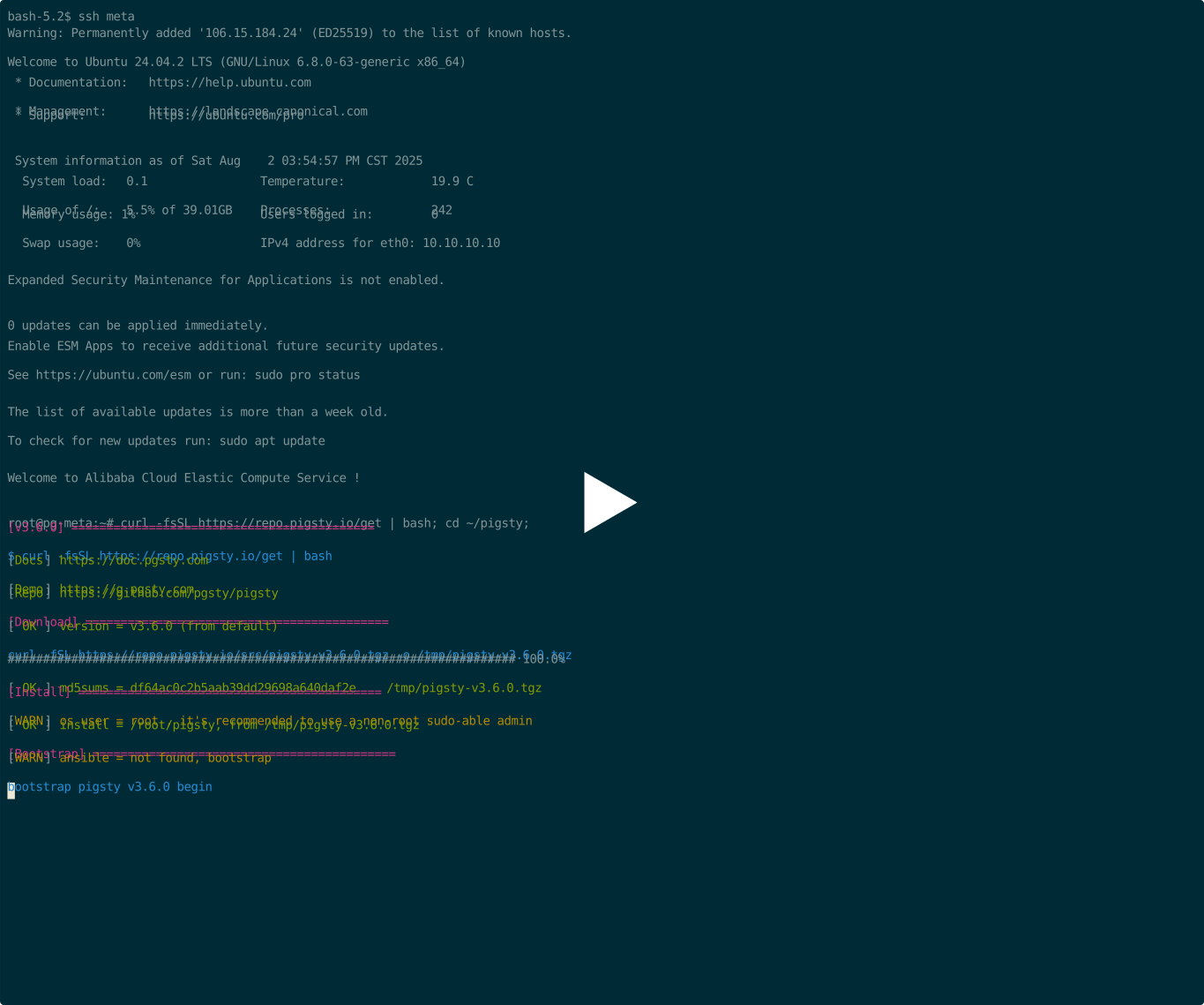
Prepare a Linux server, follow the Pigsty standard installation process, select the supabase configuration template, and execute the following commands:
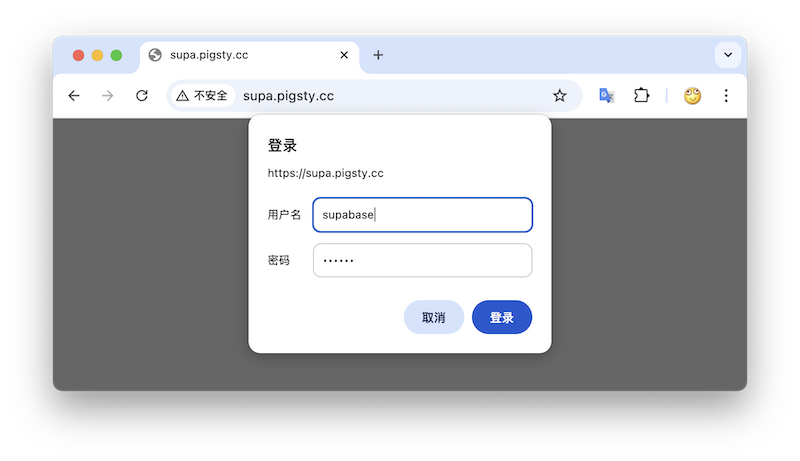
After installation, visit port 8000 in your browser to access Supa Studio, username supabase, password pigsty.
Supabase is a BaaS (Backend as Service), an open-source Firebase alternative, and the most popular database + backend solution in the AI Agent era. Supabase wraps PostgreSQL and provides authentication, messaging, edge functions, object storage, and automatically generates REST API and GraphQL API based on PostgreSQL database schemas.
Supabase aims to provide developers with a one-stop backend solution, reducing the complexity of developing and maintaining backend infrastructure. It allows developers to eliminate most backend development work — developers only need to understand database design and frontend to quickly deliver applications! Developers can quickly complete a full application with just frontend development and database schema design using Vibe Coding.
Currently, Supabase is the most popular open-source project in the PostgreSQL open-source ecosystem, with 80,000 stars on GitHub. Supabase also provides “generous” free cloud service quotas for small entrepreneurs — 500 MB of free space, which is sufficient for storing user tables, view counts, and similar data.
Since Supabase cloud service is so attractive, why self-host?
The most intuitive reason is what we mentioned in “Are Cloud Databases an Intelligence Tax?”: when your data/computing scale exceeds the cloud computing applicable spectrum (Supabase: 4C/8G/500MB free storage), costs can easily explode. Moreover, currently, sufficiently reliable local enterprise-grade NVMe SSDs have a three to four order of magnitude advantage in cost-effectiveness compared to cloud storage, and self-hosting can better leverage this advantage.
Another important reason is functionality — Supabase cloud service functionality is limited. Many powerful PostgreSQL extensions cannot be provided as cloud services due to multi-tenant security challenges and licensing issues. Therefore, although extensions are PostgreSQL’s core feature, only 64 extensions are available on Supabase cloud service. Self-built Supabase with Pigsty provides up to 437 ready-to-use PostgreSQL extensions.
Additionally, autonomy and avoiding vendor lock-in are important reasons for self-hosting — although Supabase aims to provide an open-source alternative to Google Firebase without vendor lock-in, the threshold for self-building enterprise-grade Supabase to high standards is actually quite high. Supabase includes a series of PostgreSQL extension plugins developed and maintained by them, and plans to replace the native PostgreSQL kernel with the acquired OrioleDB, but these kernels and extensions are not provided in the official PGDG repository.
This is actually a form of implicit vendor lock-in, preventing users from self-building using methods other than the supabase/postgres Docker image. Pigsty provides an open-source, transparent, and universal solution to solve this problem. We package all 10 missing extensions developed and used by Supabase into ready-to-use RPM/DEB packages, ensuring they are available on all mainstream Linux operating system distributions:
| Extension | Description |
|---|---|
pg_graphql |
Provides GraphQL support within PostgreSQL (RUST), Rust extension, provided by PIGSTY |
pg_jsonschema |
Provides JSON Schema validation capability, Rust extension, provided by PIGSTY |
wrappers |
Supabase’s external data source wrapper bundle, Rust extension, provided by PIGSTY |
index_advisor |
Query index advisor, SQL extension, provided by PIGSTY |
pg_net |
Extension for asynchronous non-blocking HTTP/HTTPS requests with SQL (supabase), C extension, provided by PIGSTY |
vault |
Extension for storing encrypted credentials in Vault (supabase), C extension, provided by PIGSTY |
pgjwt |
PostgreSQL implementation of JSON Web Token API (supabase), SQL extension, provided by PIGSTY |
pgsodium |
Table data encryption storage TDE, extension, provided by PIGSTY |
supautils |
Used to ensure database cluster security in cloud environments, C extension, provided by PIGSTY |
pg_plan_filter |
Filter and block specific query statements using execution plan costs, C extension, provided by PIGSTY |
Meanwhile, we install most extensions by default in Supabase self-hosting deployment. You can refer to the available extension list to enable them as needed.
Additionally, Pigsty handles the automatic setup of underlying high availability PostgreSQL database clusters, high availability MinIO object storage clusters, and even Docker container infrastructure deployment and Nginx reverse proxy, domain configuration and HTTPS certificate issuance. You can deploy any number of stateless Supabase container clusters using Docker Compose and store state in external Pigsty self-hosted database services.
In this self-hosting deployment architecture, you gain the freedom to use different kernels (PostgreSQL 15-18, OrioleDB), the freedom to install 437 extensions, the freedom to scale Supabase/Postgres/MinIO, the freedom from database operational chores, and the freedom from vendor lock-in to run locally indefinitely. Compared to the cost of using cloud services, the price is just preparing servers and typing a few more commands.
Let’s start with single-node Supabase deployment. We’ll introduce multi-node high availability deployment methods later.
Prepare a fresh Linux server, use the supabase configuration template provided by Pigsty to execute the standard installation process,
then additionally run docker.yml and app.yml to deploy the stateless Supabase containers (default ports 8000/8433).
Before deploying Supabase, please modify the parameters (domain and passwords) in the automatically generated pigsty.yml configuration file according to your actual situation.
If it’s just local development testing, you can skip this for now. We’ll introduce how to further customize through configuration file modifications later.
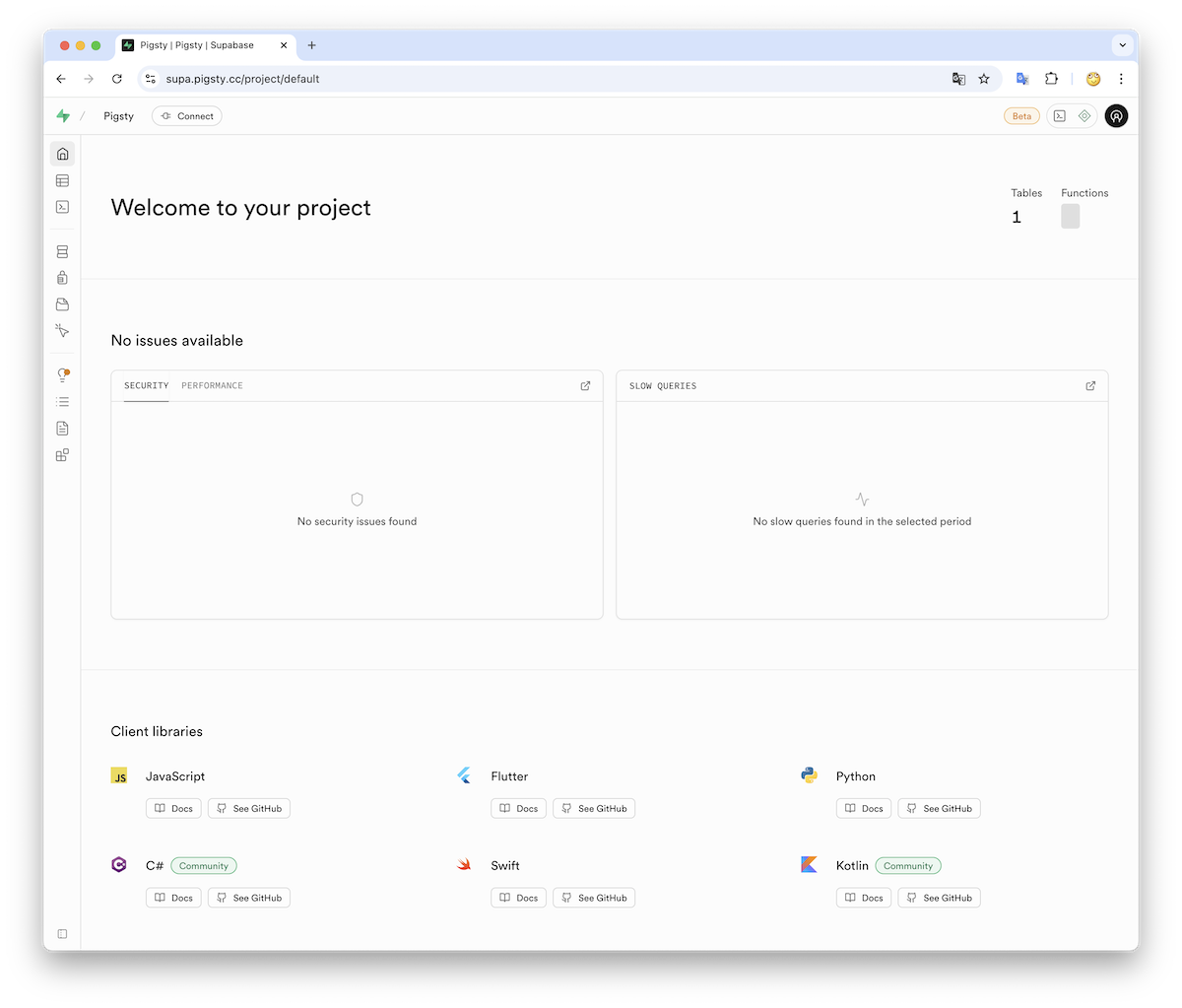
If configured correctly, after about ten minutes, you can access the Supabase Studio graphical management interface locally via http://<your_ip_address>:8000.
The default username and password are: supabase and pigsty.
In mainland China, Pigsty uses DockerHub mirror sites provided by 1Panel and 1ms to download Supabase-related images by default, which may be slow.
You can also configure proxy and mirror sites yourself, or manually pull images with cd /opt/supabase; docker compose pull.
We also provide Supabase self-hosting expert consulting services including complete offline installation solutions.
If you need to use object storage functionality, you need to access Supabase via domain and HTTPS, otherwise errors will occur.
For serious production deployments, must change all default passwords!
Here are some key technical decisions involved in self-hosting Supabase for your reference:
Using the default single-node deployment, Supabase cannot enjoy PostgreSQL/MinIO high availability capabilities. Nevertheless, single-node deployment still has significant advantages compared to the official pure Docker Compose solution: for example, out-of-the-box monitoring systems, the ability to freely install extensions, component scaling capabilities, and providing fallback database point-in-time recovery capabilities.
If you only have one server or choose to self-host on cloud servers, Pigsty recommends using external S3 instead of local MinIO as object storage to store PostgreSQL backups and support Supabase Storage services. Such deployment can provide a fallback-level RTO (hour-level recovery time)/RPO (MB-level data loss) disaster recovery level under single-machine deployment conditions during failures.
In serious production deployments, Pigsty recommends using at least 3-4 node deployment strategies to ensure both MinIO and PostgreSQL use multi-node deployments that meet enterprise-grade high availability requirements. In this case, you need to prepare more nodes and disks accordingly and adjust cluster configurations in the pigsty.yml configuration manifest, as well as access information in supabase cluster configuration to use high availability access points.
Some Supabase functionality requires sending emails, so SMTP services are needed. Unless purely for internal networks, for serious production deployments, using SMTP cloud services is recommended. Self-built email servers easily have their emails marked as spam and rejected.
If your service is directly exposed to the public network, we strongly recommend using real domains and HTTPS certificates and accessing through Nginx Portal.
Next, we’ll discuss some advanced topics in sequence: how to further improve Supabase security, availability, and performance based on single-node deployment.
Pigsty Base Components
For serious production deployments, we strongly recommend changing Pigsty default passwords. Because these default values are public and well-known, going to production without changing passwords is like streaking:
grafana_admin_password: pigsty, Grafana admin passwordpg_admin_password: DBUser.DBA, PostgreSQL superuser passwordpg_monitor_password: DBUser.Monitor, PostgreSQL monitoring user passwordpg_replication_password: DBUser.Replicator, PostgreSQL replication user passwordpatroni_password: Patroni.API, Patroni high availability component passwordhaproxy_admin_password: pigsty, load balancer management passwordminio_secret_key: minioadmin, MinIO root user keyDBUser.SupaThe above passwords are for Pigsty component modules and are strongly recommended to be set before installation and deployment.
Supabase Keys
In addition to Pigsty component passwords, you also need to modify Supabase keys, including:
JWT_SECRETANON_KEYSERVICE_ROLE_KEYPG_META_CRYPTO_KEYDASHBOARD_USERNAME: Supabase Studio Web interface default username, default is supabaseDASHBOARD_PASSWORD: Supabase Studio Web interface default password, default is pigstyPlease refer to the Supabase tutorial: Securing your services instructions:
JWT_SECRET longer than 40 characters and use the tools in the tutorial to sign ANON_KEY and SERVICE_ROLE_KEY JWTs.ANON_KEY JWT based on JWT_SECRET and expiration time attributes. This is the credential for anonymous users.SERVICE_ROLE_KEY based on JWT_SECRET and expiration time attributes. This is the credential for higher-privilege service roles.PG_META_CRYPTO_KEY with a random string at least 32 char long for securing connection strings between Studio and postgres-metaPOSTGRES_PASSWORD value accordinglyS3_ACCESS_KEY and S3_SECRET_KEY values accordinglyAfter modifying Supabase credentials, you can restart Docker Compose containers to apply the new configuration:
If you’re using Supabase on localhost or within a LAN, you can choose IP:Port direct connection to Kong’s exposed HTTP port 8000 to access Supabase.
You can use an internal static DNS domain, but for serious production deployments, we recommend using real domain + HTTPS to access Supabase.
In this case, your server should have a public IP address, you should own a domain, use DNS resolution services provided by cloud/DNS/CDN providers to point it to the installation node’s public IP (optional fallback: local /etc/hosts static resolution).
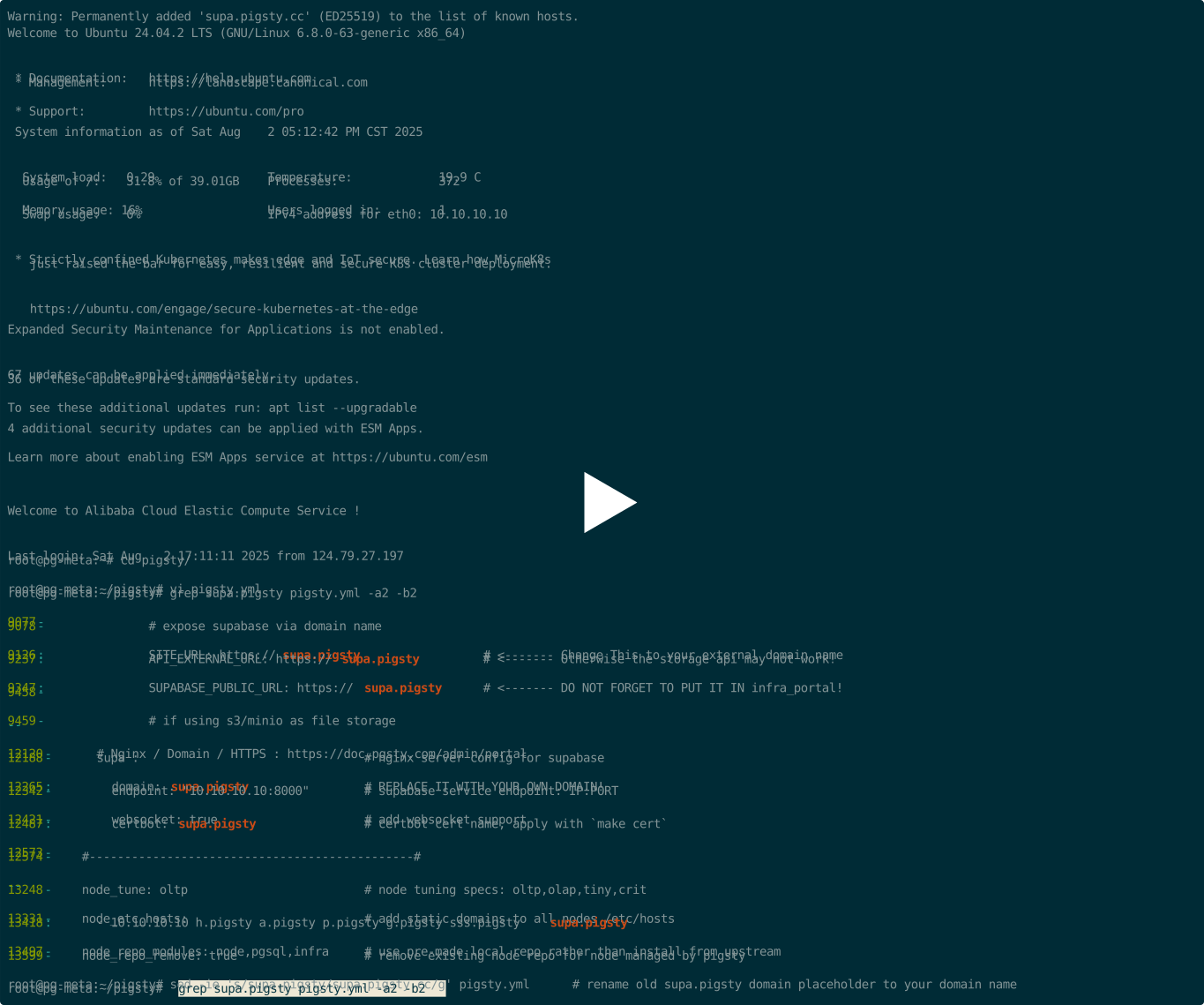
A simple approach is to batch replace the placeholder domain (supa.pigsty) with your actual domain, say supa.pigsty.cc:
If you haven’t configured it beforehand, reload Nginx and Supabase configurations:
The modified configuration should look like the following snippet:
Complete domain/HTTPS configuration can refer to the Certificate Management tutorial. You can also use Pigsty’s built-in local static resolution and self-signed HTTPS certificates as fallback.
You can use S3 or S3-compatible services as object storage for PostgreSQL backups and Supabase usage. Here we use Alibaba Cloud OSS object storage as an example.
Pigsty provides a
terraform/spec/aliyun-meta-s3.tftemplate that can be used to deploy a server and an OSS bucket on Alibaba Cloud.
First, modify the S3-related configuration in all.children.supa.vars.apps.[supabase].conf, pointing it to the Alibaba Cloud OSS bucket:
Reload Supabase configuration with the following command:
You can also use S3 as PostgreSQL backup repository by adding an aliyun backup repository definition in all.vars.pgbackrest_repo:
Then specify using the aliyun backup repository in all.vars.pgbackrest_method and reset pgBackrest backup:
Pigsty will switch the backup repository to external object storage. More backup configurations can refer to PostgreSQL Backup documentation.
You can use SMTP to send emails by modifying the supabase application configuration and adding SMTP information:
Don’t forget to use app.yml to reload the configuration
After these configurations, you have an enterprise-grade Supabase (basic single-machine version) with public domain, HTTPS certificate, SMTP, PITR backup, monitoring, IaC, and 400+ extensions. For high availability configuration, please refer to other parts of Pigsty documentation. If you’re too lazy to read and learn, we provide hands-on Supabase self-hosting expert consulting services — ¥2000 to save you from the hassle of tinkering and downloading.
Single-node RTO/RPO relies on external object storage services for fallback. If your node fails, backups are retained in external S3 storage, and you can redeploy Supabase on a new node and restore from backup. Such deployment can provide a minimum standard RTO (hour-level recovery time)/RPO (MB-level data loss) fallback disaster recovery level during failures.
To achieve RTO < 30s with zero data loss failover, you need to use multi-node high availability deployment, which involves:
In this case, you also need to modify PostgreSQL and MinIO access points to use DNS/L2 VIP/HAProxy and other high availability access points
For these parts, you only need to refer to the documentation of each module in Pigsty for configuration and deployment.
We recommend referring to the configurations in conf/ha/trio.yml and conf/ha/safe.yml to upgrade cluster scale to three nodes or more.
FerretDB is an open-source MongoDB wire protocol compatible middleware that allows you to use PostgreSQL as a drop-in replacement for MongoDB. It enables applications that rely on MongoDB’s wire protocol to work seamlessly with PostgreSQL, providing a bridge between the two databases.
To enable FerretDB, you’ll need the FerretDB patched documentdb extension, which is also available in the Pigsty repository.
The latest combo is FerretDB 2.7 and DocumentDB 0.107.0.
Use Pigsty’s standard installation process with the mongo configuration template.
For production deployment, please ensure to modify the password parameters in the pigsty.yml configuration file before running the installation playbook.
Check the FERRET docs for the details.
You can use MongoDB’s command-line tool MongoSH to access FerretDB.
Use the pig command to add MongoDB repository, then install mongosh using yum or apt:
You can access FerretDB using MongoDB connection strings with any MongoDB driver in any language. Here’s an example using the mongosh CLI tool:
You can log in with different users. See FerretDB: Authentication for details.
You can connect to FerretDB and use it as if it were a MongoDB cluster.
MongoDB commands are translated to SQL and executed in the underlying PostgreSQL:
If you’re not familiar with MongoDB, here’s a quick tutorial that works with FerretDB: Perform CRUD Operations with MongoDB Shell
To generate sample workload, you can use this simple test script with mongosh:
You can check FerretDB’s supported MongoDB commands and known differences. For basic usage, these differences are usually not significant.