跳转到主要内容

这是本节的多页打印视图。 .

返回本页常规视图.

基础设施

门户和可观测性技术栈
架构
    架构、核心概念、身份管理
配置
    配置基础设施模块,并使用多个基础设施节点。
参数
    使用 57+ 参数自定义基础设施组件
管理
    管理本地仓库、nginx 门户、域名、证书等
剧本
    可在此模块中使用的 Ansible 剧本
监控
    仪表板、指标、记录和告警规则。
常见问题
    关于基础设施模块的常见问题

1 - 架构

INFRA 模块中的架构与实体

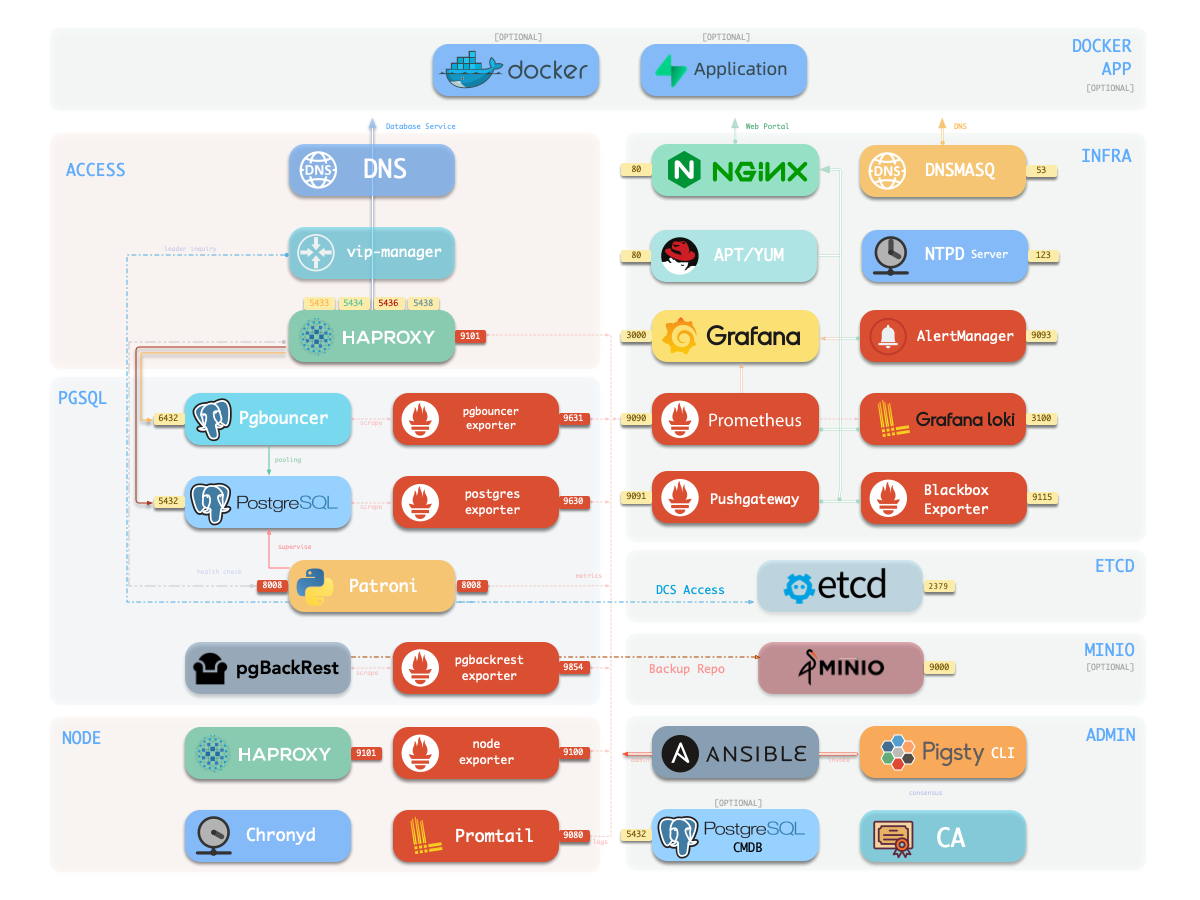
标准 Pigsty 部署包含 INFRA 模块,默认提供以下服务:

这些组件为生产级 PostgreSQL 服务提供必要的基础设施。

组件 端口 域名 说明
nginx 80 h.pigsty Web 服务入口与 YUM/APT 仓库
alertmanager 9059 a.pigsty 告警聚合与投递
prometheus 9058 p.pigsty 监控时序数据库
grafana 3000 g.pigsty 可视化平台
loki 3100 - 日志收集服务器
pushgateway 9091 - 收集一次性任务指标
blackbox_exporter 9115 - ICMP、TCP、HTTP 探测
dnsmasq 53 - 可选 DNS 服务器
chronyd 123 - 可选 NTP 时间服务器
不使用 INFRA 也能部署高可用 PostgreSQL

如果不需要这些组件,可使用最小化安装,在不安装 INFRA 模块的情况下部署高可用 PostgreSQL。

  • Nginx:本地仓库 Web 服务器及其他 Web UI 的反向代理
  • Grafana:指标、仪表板和数据分析的可视化平台
  • Loki:通过 Grafana 查询的集中日志系统
  • Prometheus:采集、保存指标并计算告警的时序数据库
  • AlertManager:聚合、静默并投递告警
  • PushGateway:接收一次性任务与批处理任务指标
  • BlackboxExporter:探测节点 IP 与 VIP 的可达性
  • DNSMASQ:解析 Pigsty 内部域名
  • Chronyd:保持节点时间同步

INFRA 并非高可用 PostgreSQL 的硬依赖,例如最小化安装 就会省略它。但它提供生产集群通常需要的支撑服务,因此大多数部署都建议保留。

如果已有 Nginx、本地仓库、监控、DNS 或 NTP 基础设施,可以禁用对应组件, 并通过 INFRA 配置 接入既有系统。


Nginx

Nginx 是 Pigsty 所有 Web UI 的入口,默认监听 HTTP 80 与 HTTPS 443。 它代理 Grafana、Prometheus、AlertManager、HAProxy 控制台等 Web UI,同时提供 本地 YUM/APT 仓库等静态资源。

Nginx 根据 infra_portal 生成配置:

infra_portal:
  home         : { domain: h.pigsty }
  grafana      : { domain: g.pigsty ,endpoint: "${admin_ip}:3000" ,websocket: true }
  prometheus   : { domain: p.pigsty ,endpoint: "${admin_ip}:9058" }
  alertmanager : { domain: a.pigsty ,endpoint: "${admin_ip}:9059" }
  blackbox     : { endpoint: "${admin_ip}:9115" }
  loki         : { endpoint: "${admin_ip}:3100" }
  #minio        : { domain: sss.pigsty ,endpoint: "${admin_ip}:9001" ,scheme: https ,websocket: true }

其他服务会引用这些 endpoint:日志发送至 Loki,Grafana 数据源注册到 Grafana, 告警则投递给 AlertManager。Nginx 也可作为本地文件服务器或通用反向代理,并可 使用自签名证书或真实 HTTPS 证书。


本地软件仓库

安装时,Pigsty 可在 INFRA 节点创建本地软件仓库,以加速后续安装。仓库位于 /www/pigsty,由 Nginx 通过 http://h.pigsty/pigsty 提供服务。

离线软件包就是预先构建好的仓库目录压缩包。如果 /www/pigsty 存在并带有 /www/pigsty/repo_complete 标记,Pigsty 会跳过上游 下载,适用于离线环境。

仓库定义文件为 /www/pigsty.repo,可通过以下命令获取:

curl -L http://h.pigsty/pigsty.repo -o /etc/yum.repos.d/pigsty.repo

也可以不经过 Nginx,直接使用文件仓库:

[pigsty-local]
name=Pigsty local $releasever - $basearch
baseurl=file:///www/pigsty/
enabled=1
gpgcheck=0

仓库参数参阅:INFRA - REPO


Prometheus

Prometheus 是 Pigsty v3.7 的监控时序数据库,监听 9058,可通过 IP:9058http://p.pigsty 访问。它负责:

  • 通过带身份标签的本地静态文件发现服务;
  • 拉取、预处理并保存指标;
  • 计算告警规则并将告警发送给 AlertManager。

AlertManager

AlertManager 监听 9059IP:9059http://a.pigsty),负责接收、聚合、 静默和路由 Prometheus 告警。发送邮件等通知需要额外配置。

Prometheus、AlertManager、PushGateway 与 BlackboxExporter 参数参阅: INFRA - PROMETHEUS


Grafana

Grafana 监听 3000IP:3000http://g.pigsty)。Pigsty 的监控以仪表板和 URL 导航为核心,可在全局、集群、实例、数据库和对象之间快速下钻或上卷。

Pigsty 还预装 ECharts 等可视化插件,因此 Grafana 也可用于低代码数据应用。 Loki 在 3100 端口保存日志,节点上的 Promtail 将日志发送到 Loki。

参数参阅:INFRA - GRAFANAINFRA - Loki


Ansible

Ansible 会在引导时安装到 管理节点。INFRA 节点上的 Ansible 通常不会被 使用,但当管理节点不可用时可作为备用控制入口。


DNSMASQ

DNSMASQ 为 Pigsty 内部域名提供解析,其他模块会将域名记录注册到 INFRA 的 DNSMASQ。记录保存在所有 INFRA 节点的 /etc/hosts.d/

参数参阅:INFRA - DNS。Pigsty 内部仍主要使用 /etc/hosts 静态记录,因此 DNSMASQ 只是便利功能。


Chronyd

Chronyd 用于保持所有节点时间同步。参数参阅: NODE - NTP。如果已有 NTP 服务,可以不启用它。

2 - 配置

配置基础设施节点、nginx、仓库、dns、ntp、监控系统

INFRA 模块主要提供监控基础设施,对于 PostgreSQL 服务是 可选的

除非您在其他地方手动配置了对 INFRA 节点的 DNS/NTP 服务依赖,否则 INFRA 模块的故障通常不会影响 PostgreSQL 数据库集群的正常运行。

在大多数情况下,单个 INFRA 节点足以满足典型场景。对于有更高要求的生产环境,我们建议使用 2-3 个 INFRA 节点以实现高可用性。

为了提高资源利用率,PostgreSQL 高可用性通常依赖于 ETCD 模块,该模块可以与 INFRA 模块共享节点。

使用超过 3 个 INFRA 节点提供的好处有限,但您可以使用更多 ETCD 节点(例如 5 个)来增强 DCS 服务的可用性和可靠性。


示例

要在节点上安装 INFRA 模块,首先将节点 IP 添加到 清单 中的 infra 组,并为它们分配一个 Infra 实例编号 infra_seq

默认情况下,单个 INFRA 节点配置可以满足大多数要求。所有配置模板都包含默认的 infra 组定义:

all:
  children:
    infra: { hosts: { 10.10.10.10: { infra_seq: 1 } }}

配置 期间,infra 组中的 10.10.10.10 IP 占位符将被替换为 当前节点的主 IP 地址,这意味着 INFRA 模块将安装在当前节点上。

然后使用 infra.yml playbook 在节点上初始化 INFRA 模块。

更多节点

要配置两个 INFRA 节点,请将新 IP 添加到 infra.hosts

all:
  children:
    infra:
      hosts:
        10.10.10.10: { infra_seq: 1 }
        10.10.10.11: { infra_seq: 2 }

要配置三个 INFRA 节点并使用自定义集群/节点参数:

all:
  children:
    infra:
      hosts:
        10.10.10.10: { infra_seq: 1 }
        10.10.10.11: { infra_seq: 2, repo_enabled: false }
        10.10.10.12: { infra_seq: 3, repo_enabled: false }
      vars:
        grafana_clean: false
        prometheus_clean: false
        loki_clean: false

高可用性

Infra 模块中的大多数组件是"无状态/共享状态"的。对于这些组件,高可用性主要需要解决负载均衡问题。

Infra 组件负载均衡可以通过两种方法实现:Keepalived L2 VIP 或 HAProxy 四层负载均衡。

如果您的网络环境支持二层连接,您可以使用 Keepalived L2 VIP 实现高可用性:

infra:
  hosts:
    10.10.10.10: { infra_seq: 1 }
    10.10.10.11: { infra_seq: 2 }
    10.10.10.12: { infra_seq: 3 }
  vars:
    vip_enabled: true
    vip_vrid: 128
    vip_address: 10.10.10.8
    vip_interface: eth1

    infra_portal:
      home         : { domain: h.pigsty }
      grafana      : { domain: g.pigsty ,endpoint: "10.10.10.8:3000" , websocket: true }
      prometheus   : { domain: p.pigsty ,endpoint: "10.10.10.8:9058" }
      alertmanager : { domain: a.pigsty ,endpoint: "10.10.10.8:9059" }
      blackbox     : { endpoint: "10.10.10.8:9115" }
      loki         : { endpoint: "10.10.10.8:3100" }

除了配置像 vip_address 这样的 VIP 相关参数外,您还需要在 infra_portal 中修改 Infra 服务的端点。

3 - 参数

使用选项进行自定义

Pigsty 基础设施组件的参数:本地 YUM 仓库、Nginx、DNSMasq、Prometheus、Grafana、Loki、AlertManager、PushGateway、Blackbox Exporter 等。

本模块共有 9 个部分,57 个参数。

  • META:基础设施元数据
  • CA:自签名 CA
  • INFRA_ID:门户和身份
  • REPO:本地 YUM/APT 仓库
  • INFRA_PACKAGE:要安装的包
  • NGINX:Nginx Web 服务器
  • DNS:DNSMasq 域名服务器
  • PROMETHEUS:Prometheus、AlertManager、PushGateway 和 Blackbox Exporter
  • GRAFANA:Grafana,可视化平台
  • LOKI:Loki,日志服务器

参数

名称 部分 类型 级别 注释
version META string G pigsty 版本字符串
admin_ip META ip G 管理员节点 IP 地址
region META enum G 上游镜像区域:default、china、europe
proxy_env META dict G 下载包时的全局代理环境
ca_create CA bool G CA 缺失时创建,默认为 true
ca_cn CA string G CA 通用名称,固定为 pigsty-ca
cert_validity CA interval G 证书有效期,默认 20 年
infra_seq INFRA_ID int I 基础设施节点身份,必需
infra_portal INFRA_ID dict G 通过门户暴露的基础设施服务
repo_enabled REPO bool G/I 在此基础设施节点上创建 yum 仓库?
repo_home REPO path G 仓库主目录,默认 /www
repo_name REPO string G 仓库名称,默认为 pigsty
repo_endpoint REPO url G 通过域名或 IP:端口访问此仓库的接入点
repo_remove REPO bool G/A 移除现有上游仓库
repo_modules REPO string G/A 在 repo_upstream 中安装哪些仓库模块
repo_upstream REPO upstream[] G 从哪里下载上游包
repo_packages REPO string[] G 包含哪些包
repo_extra_packages REPO string[] G/C/I 要包含的额外包
repo_url_packages REPO string[] G 来自 URL 的额外包
infra_packages INFRA_PACKAGE string[] G 要在基础设施节点上安装的包
infra_packages_pip INFRA_PACKAGE string G 为基础设施节点安装的 pip 包
nginx_enabled NGINX bool G/I 在此基础设施节点上启用 nginx?
nginx_exporter_enabled NGINX bool G/I 在此基础设施节点上启用 nginx_exporter?
nginx_sslmode NGINX enum G nginx SSL 模式?disable、enable、enforce
nginx_cert_validity NGINX duration G nginx 自签名证书有效期,默认 397 天
nginx_home NGINX path G nginx 内容目录,默认 /www
nginx_port NGINX port G nginx 监听端口,默认 80
nginx_ssl_port NGINX port G nginx SSL 监听端口,默认 443
nginx_navbar NGINX index[] G nginx 索引页导航链接
certbot_sign NGINX bool G/A 设置期间使用 certbot 签名 nginx 证书?
certbot_email NGINX string G/A certbot 邮箱地址,用于免费 SSL
certbot_options NGINX string G/A certbot 额外选项
dns_enabled DNS bool G/I 在此基础设施节点上设置 dnsmasq?
dns_port DNS port G DNS 服务器监听端口,默认 53
dns_records DNS string[] G 由 dnsmasq 解析的动态 DNS 记录
prometheus_enabled PROMETHEUS bool G/I 在此基础设施节点上启用 prometheus?
prometheus_port PROMETHEUS port G prometheus 监听端口号,默认为 9058
prometheus_clean PROMETHEUS bool G/A 初始化期间清理 prometheus 数据?
prometheus_data PROMETHEUS path G prometheus 数据目录,默认 /data/prometheus
prometheus_sd_dir PROMETHEUS path G prometheus 文件服务发现目录
prometheus_sd_interval PROMETHEUS interval G prometheus 目标刷新间隔,默认 5 秒
prometheus_scrape_interval PROMETHEUS interval G prometheus 抓取和评估间隔,默认 10 秒
prometheus_scrape_timeout PROMETHEUS interval G prometheus 全局抓取超时,默认 8 秒
prometheus_options PROMETHEUS arg G prometheus 额外服务器选项
pushgateway_enabled PROMETHEUS bool G/I 在此基础设施节点上设置 pushgateway?
pushgateway_options PROMETHEUS arg G pushgateway 额外服务器选项
blackbox_enabled PROMETHEUS bool G/I 在此基础设施节点上设置 blackbox_exporter?
blackbox_options PROMETHEUS arg G blackbox_exporter 额外服务器选项
alertmanager_enabled PROMETHEUS bool G/I 在此基础设施节点上设置 alertmanager?
alertmanager_port PROMETHEUS port G alertmanager 监听端口,默认 9059
alertmanager_options PROMETHEUS arg G alertmanager 额外服务器选项
exporter_metrics_path PROMETHEUS path G exporter 指标路径,默认 /metrics
exporter_install PROMETHEUS enum G 如何安装 exporter?none、yum、binary
exporter_repo_url PROMETHEUS url G 如果通过 yum 安装 exporter 的仓库文件 URL
grafana_enabled GRAFANA bool G/I 在此基础设施节点上启用 grafana?
grafana_clean GRAFANA bool G/A 初始化期间清理 grafana 数据?
grafana_admin_username GRAFANA username G grafana 管理员用户名,默认 admin
grafana_admin_password GRAFANA password G grafana 管理员密码,默认 pigsty
loki_enabled LOKI bool G/I 在此基础设施节点上启用 loki?
loki_clean LOKI bool G/A 是否移除现有 loki 数据?
loki_data LOKI path G loki 数据目录,默认 /data/loki
loki_retention LOKI interval G loki 日志保留期,默认 15 天

META

本部分包含当前 Pigsty 部署的元数据,如版本字符串、管理员节点 IP 地址、仓库镜像 region 和下载包时的 HTTP(S) 代理。

version: v3.7.0                   # Pigsty 版本字符串
admin_ip: 10.10.10.10             # 管理员节点 IP 地址
region: default                   # 上游镜像区域:default、china、europe
proxy_env:                        # 下载包时的全局代理环境
  no_proxy: "localhost,127.0.0.1,10.0.0.0/8,192.168.0.0/16,*.pigsty,*.aliyun.com,mirrors.*,*.myqcloud.com,*.tsinghua.edu.cn"
  # http_proxy:  # 在此设置您的代理:例如 http://user:[email protected]
  # https_proxy: # 在此设置您的代理:例如 http://user:[email protected]
  # all_proxy:   # 在此设置您的代理:例如 http://user:[email protected]

version

类型:string,级别:G

pigsty 版本字符串

默认值:v3.7.0

它将用于 pigsty 内省和内容渲染。


admin_ip

类型:ip,级别:G

管理员节点 IP 地址

默认值:10.10.10.10

具有此 IP 地址的节点将被视为管理员节点,通常指向安装 Pigsty 的第一个节点。

默认值 10.10.10.10 是一个占位符,将在 配置 过程中被替换

此参数被许多其他参数引用,例如:

确切的字符串 ${admin_ip} 将被替换为上述参数的实际 admin_ip


region

类型:enum,级别:G

上游镜像区域:default、china、europe

默认值:default

如果设置了除 default 以外的区域,并且在 repo_upstream.[repo].baseurl 中有相应的条目,它将被使用而不是 default

例如,如果使用 china,pigsty 将使用在 repo_upstream 中指定的中国镜像(如果适用)。


proxy_env

类型:dict,级别:G

下载包时的全局代理环境

默认值:

proxy_env: # 下载包时的全局代理环境
  http_proxy: 'http://username:[email protected]'
  https_proxy: 'http://username:[email protected]'
  all_proxy: 'http://username:[email protected]'
  no_proxy: "localhost,127.0.0.1,10.0.0.0/8,192.168.0.0/16,*.pigsty,*.aliyun.com,mirrors.aliyuncs.com,mirrors.tuna.tsinghua.edu.cn,mirrors.zju.edu.cn"

在受限制的生产环境中或当您的互联网访问被阻止时(例如中国大陆),使用 HTTP 代理非常重要。

请注意,如果使用 Docker 模块,代理服务器配置也将写入 Docker 守护程序配置文件。

请注意,如果在 ./configure 期间指定了 -x 参数,当前环境中的代理配置信息将自动填入生成的 pigsty.yaml 文件。


CA

Pigsty 使用自签名 CA;高级安全功能依赖它。

ca_create: true                   # CA 缺失时创建;否则要求用户提供密钥与证书
ca_cn: pigsty-ca                  # CA 通用名称,固定为 pigsty-ca
cert_validity: 7300d              # 证书有效期,默认 20 年

ca_create

类型:bool,级别:G

默认值为 trueca 角色仅在 files/pki/ca/ca.keyfiles/pki/ca/ca.crt 缺失时创建 CA,已有 CA 始终复用。若要使用自行 提供的密钥与证书,可设为 false;此时密钥缺失会立即中止。


ca_cn

类型:string,级别:G

CA 通用名称,不建议修改,默认值为 pigsty-ca

可使用 openssl x509 -text -in /etc/pki/ca.crt 检查。


cert_validity

类型:interval,级别:G

证书有效期,默认值为 7300d(20 年)。


INFRA_ID

基础设施身份和门户定义。

#infra_seq: 1                     # 基础设施节点身份,明确必需
infra_portal:                     # 通过门户暴露的基础设施服务
  home         : { domain: h.pigsty }
  grafana      : { domain: g.pigsty ,endpoint: "${admin_ip}:3000" ,websocket: true }
  prometheus   : { domain: p.pigsty ,endpoint: "${admin_ip}:9058" }
  alertmanager : { domain: a.pigsty ,endpoint: "${admin_ip}:9059" }
  blackbox     : { endpoint: "${admin_ip}:9115" }
  loki         : { endpoint: "${admin_ip}:3100" }

infra_seq

类型:int,级别:I

基础设施节点身份,必需,没有默认值,您必须明确分配它。


infra_portal

类型:dict,级别:G

通过门户暴露的基础设施服务。

默认值将通过相应的域名通过 nginx 暴露首页、grafana、prometheus、alertmanager。

infra_portal:                     # 通过门户暴露的基础设施服务
  home         : { domain: h.pigsty }
  grafana      : { domain: g.pigsty ,endpoint: "${admin_ip}:3000" ,websocket: true }
  prometheus   : { domain: p.pigsty ,endpoint: "${admin_ip}:9058" }
  alertmanager : { domain: a.pigsty ,endpoint: "${admin_ip}:9059" }
  blackbox     : { endpoint: "${admin_ip}:9115" }
  loki         : { endpoint: "${admin_ip}:3100" }

每个记录由键和值字典组成,其中 name 是键,表示组件名称,值是可以配置以下参数的对象:

每个记录由键和值字典组成,其中 name 是键,表示组件名称,值是可以配置以下参数的对象:

每个记录由键和值字典组成,其中 name 是键,表示组件名称,值是可以配置以下参数的对象:

  • name必需,指定 Nginx 服务器的名称
    • 默认记录:home、grafana、prometheus、alertmanager、blackbox、loki 是固定名称,请不要修改它们。
    • 用作 Nginx 配置文件名的一部分,对应配置文件:/etc/nginx/conf.d/<name>.conf
    • 没有域字段的 Nginx 服务器不会生成配置文件,但将用作引用。
  • domain可选,当服务需要通过 Nginx 对外暴露时,它是一个必需字段,指定使用的域名
    • 在 Pigsty 自签名 Nginx HTTPS 证书中,域名将添加到 Nginx SSL 证书的 SAN 字段
    • Pigsty 网页交叉引用将使用此处的默认域名
  • endpoint:通常用作 path 的替代,指定上游服务器地址。设置 endpoint 表示这是一个反向代理服务器
    • 在配置中,${admin_ip} 可以用作占位符,并将在部署期间动态替换为 admin_ip
    • 默认反向代理服务器使用 endpoint.conf 作为配置模板
    • 反向代理服务器还可以配置 websocket 和 schema 参数
  • path:通常用作 endpoint 的替代,指定本地文件服务器路径。设置 path 意味着这是一个本地 Web 服务器
    • 本地 Web 服务器使用 path.conf 作为配置模板
    • 本地 Web 服务器还可以配置 index 参数,是否启用文件索引页
  • certbot:Certbot 证书名称,如果配置,将使用 Certbot 申请证书
    • 如果多个服务器指定相同的 certbot,Pigsty 将合并证书申请,最终证书名称将是此 certbot 的名称
  • cert:证书文件路径,如果配置,将覆盖默认证书路径
  • key:证书密钥文件路径,如果配置,将覆盖默认证书密钥路径
  • websocket:是否启用 WebSocket 支持
    • 只有反向代理服务器可以配置此参数,如果启用它将允许上游使用 WebSocket 连接
  • schema:上游服务器使用的协议,如果配置,将覆盖默认协议
    • 默认是 http,如果配置为 https 将强制 HTTPS 连接到上游服务器
  • index:是否启用文件索引页
    • 只有本地 Web 服务器可以配置此参数,如果启用它将启用 autoindex 配置以自动为目录生成索引页
  • log:Nginx 日志文件路径
    • 如果指定,访问日志将写入此文件,否则将根据服务器类型使用默认日志文件
    • 反向代理服务器使用 /var/log/nginx/<name>.log 作为默认日志文件路径
    • 本地 Web 服务器使用默认访问日志
  • conf:Nginx 配置文件路径
  • config:Nginx 配置代码块
    • 直接注入到 Nginx Server 配置块的配置文本
  • enforce_https:将 HTTP 重定向到 HTTPS
    • 全局配置可以通过 nginx_sslmode: enforce 指定
    • 此配置不影响默认主页服务器,它将始终同时监听端口 80 和 443 以确保兼容性。

REPO

本部分是关于本地软件仓库的。Pigsty 在初始化基础设施节点时将创建一个本地软件仓库(APT/YUM)。

在初始化过程中,Pigsty 将从互联网上游仓库(由 repo_upstream 指定)下载所有包及其依赖项(由 repo_packages 指定)到 {{ nginx_home }} / {{ repo_name }}(默认为 /www/pigsty),所有依赖软件的总大小约为 1GB。

创建本地仓库时,如果目录已经存在并且目录中有名为 repo_complete 的标记文件,Pigsty 将跳过软件下载阶段。

如果某些包的下载速度太慢,您可以通过使用 proxy_env 配置条目设置下载代理或直接下载预打包的 离线包 来完成初始下载,这本质上是在同一操作系统上构建的本地软件源。

repo_enabled: true                # 在此基础设施节点上创建 yum 仓库?
repo_home: /www                   # 仓库主目录,默认 `/www`
repo_name: pigsty                 # 仓库名称,默认为 pigsty
repo_endpoint: http://${admin_ip}:80 # 通过域名或 IP:端口访问此仓库的接入点
repo_remove: true                 # 移除现有上游仓库
repo_modules: infra,node,pgsql    # 在仓库引导期间安装上游仓库
#repo_upstream: []                # 从哪里下载
#repo_packages: []                # 下载哪些包
#repo_extra_packages: []          # 下载额外包
repo_url_packages: []             # 来自 URL 的额外包

repo_enabled

类型:bool,级别:G/I

在此基础设施节点上创建 YUM 仓库?默认值:true

如果您有多个基础设施节点,您可以在其他备用节点上禁用 YUM 仓库以减少互联网流量。


repo_home

类型:path,级别:G

仓库主目录,默认 /www


repo_name

类型:string,级别:G

仓库名称,默认为 pigsty,不建议更改此值


repo_endpoint

类型:url,级别:G

通过域名或 IP:端口访问此仓库的接入点,默认值:http://${admin_ip}:80

如果您更改了 nginx_portnginx_ssl_port,或使用与管理员节点不同的基础设施节点,请相应调整此参数。

${admin_ip} 将在运行时被替换为实际的 admin_ip


repo_remove

类型:bool,级别:G/A

移除现有上游仓库,默认值:true

如果您想保留现有上游仓库,请将此值设置为 false


repo_modules

类型:string,级别:G/A

在 repo_upstream 中安装哪些仓库模块,默认值:infra,node,pgsql

这是一个逗号分隔的值字符串,用于过滤 repo_upstream 中具有相应 module 字段的条目。

对于 Ubuntu/Debian 用户,您可以将 redis 添加到列表中:infra,node,pgsql,redis


repo_upstream

类型:upstream[],级别:G

此参数定义 Pigsty 的上游软件仓库。它没有默认值;您可以明确指定它,或者如果您想使用默认值则留空。

留空时,Pigsty 将根据您的操作系统使用在 roles/node_id/vars 中定义的 repo_upstream_default 的默认值。

对于 EL(8、9、10)系统,默认值为:

- { name: pigsty-local   ,description: 'Pigsty Local'       ,module: local   ,releases: [7,8,9] ,arch: [x86_64, aarch64] ,baseurl: { default: 'http://${admin_ip}/pigsty'  }} # 内网节点使用
- { name: pigsty-infra   ,description: 'Pigsty INFRA'       ,module: infra   ,releases: [7,8,9] ,arch: [x86_64, aarch64] ,baseurl: { default: 'https://repo.pigsty.io/yum/infra/$basearch' ,china: 'https://repo.pigsty.cc/yum/infra/$basearch' }}
- { name: pigsty-pgsql   ,description: 'Pigsty PGSQL'       ,module: pgsql   ,releases: [7,8,9] ,arch: [x86_64, aarch64] ,baseurl: { default: 'https://repo.pigsty.io/yum/pgsql/el$releasever.$basearch' ,china: 'https://repo.pigsty.cc/yum/pgsql/el$releasever.$basearch' }}
- { name: nginx          ,description: 'Nginx Repo'         ,module: infra   ,releases: [7,8,9] ,arch: [x86_64, aarch64] ,baseurl: { default: 'https://nginx.org/packages/rhel/$releasever/$basearch/' }}
- { name: docker-ce      ,description: 'Docker CE'          ,module: infra   ,releases: [7,8,9] ,arch: [x86_64, aarch64] ,baseurl: { default: 'https://download.docker.com/linux/centos/$releasever/$basearch/stable'        ,china: 'https://mirrors.aliyun.com/docker-ce/linux/centos/$releasever/$basearch/stable' ,europe: 'https://mirrors.xtom.de/docker-ce/linux/centos/$releasever/$basearch/stable' }}
- { name: baseos         ,description: 'EL 8+ BaseOS'       ,module: node    ,releases: [  8,9] ,arch: [x86_64, aarch64] ,baseurl: { default: 'https://dl.rockylinux.org/pub/rocky/$releasever/BaseOS/$basearch/os/'         ,china: 'https://mirrors.aliyun.com/rockylinux/$releasever/BaseOS/$basearch/os/'         ,europe: 'https://mirrors.xtom.de/rocky/$releasever/BaseOS/$basearch/os/'     }}
- { name: appstream      ,description: 'EL 8+ AppStream'    ,module: node    ,releases: [  8,9] ,arch: [x86_64, aarch64] ,baseurl: { default: 'https://dl.rockylinux.org/pub/rocky/$releasever/AppStream/$basearch/os/'      ,china: 'https://mirrors.aliyun.com/rockylinux/$releasever/AppStream/$basearch/os/'      ,europe: 'https://mirrors.xtom.de/rocky/$releasever/AppStream/$basearch/os/'  }}
- { name: extras         ,description: 'EL 8+ Extras'       ,module: node    ,releases: [  8,9] ,arch: [x86_64, aarch64] ,baseurl: { default: 'https://dl.rockylinux.org/pub/rocky/$releasever/extras/$basearch/os/'         ,china: 'https://mirrors.aliyun.com/rockylinux/$releasever/extras/$basearch/os/'         ,europe: 'https://mirrors.xtom.de/rocky/$releasever/extras/$basearch/os/'     }}
- { name: powertools     ,description: 'EL 8 PowerTools'    ,module: node    ,releases: [  8  ] ,arch: [x86_64, aarch64] ,baseurl: { default: 'https://dl.rockylinux.org/pub/rocky/$releasever/PowerTools/$basearch/os/'     ,china: 'https://mirrors.aliyun.com/rockylinux/$releasever/PowerTools/$basearch/os/'     ,europe: 'https://mirrors.xtom.de/rocky/$releasever/PowerTools/$basearch/os/' }}
- { name: crb            ,description: 'EL 9 CRB'           ,module: node    ,releases: [    9] ,arch: [x86_64, aarch64] ,baseurl: { default: 'https://dl.rockylinux.org/pub/rocky/$releasever/CRB/$basearch/os/'            ,china: 'https://mirrors.aliyun.com/rockylinux/$releasever/CRB/$basearch/os/'            ,europe: 'https://mirrors.xtom.de/rocky/$releasever/CRB/$basearch/os/'        }}
- { name: epel           ,description: 'EL 8+ EPEL'         ,module: node    ,releases: [  8,9] ,arch: [x86_64, aarch64] ,baseurl: { default: 'http://download.fedoraproject.org/pub/epel/$releasever/Everything/$basearch/' ,china: 'https://mirrors.tuna.tsinghua.edu.cn/epel/$releasever/Everything/$basearch/'    ,europe: 'https://mirrors.xtom.de/epel/$releasever/Everything/$basearch/'     }}
- { name: pgdg-common    ,description: 'PostgreSQL Common'  ,module: pgsql   ,releases: [7,8,9] ,arch: [x86_64, aarch64] ,baseurl: { default: 'https://download.postgresql.org/pub/repos/yum/common/redhat/rhel-$releasever-$basearch' ,china: 'https://mirrors.tuna.tsinghua.edu.cn/postgresql/repos/yum/common/redhat/rhel-$releasever-$basearch' , europe: 'https://mirrors.xtom.de/postgresql/repos/yum/common/redhat/rhel-$releasever-$basearch' }}
- { name: pgdg-el8fix    ,description: 'PostgreSQL EL8FIX'  ,module: pgsql   ,releases: [  8  ] ,arch: [x86_64, aarch64] ,baseurl: { default: 'https://download.postgresql.org/pub/repos/yum/common/pgdg-centos8-sysupdates/redhat/rhel-8-x86_64/' ,china: 'https://mirrors.tuna.tsinghua.edu.cn/postgresql/repos/yum/common/pgdg-centos8-sysupdates/redhat/rhel-8-x86_64/' , europe: 'https://mirrors.xtom.de/postgresql/repos/yum/common/pgdg-centos8-sysupdates/redhat/rhel-8-x86_64/' } }
- { name: pgdg-el9fix    ,description: 'PostgreSQL EL9FIX'  ,module: pgsql   ,releases: [    9] ,arch: [x86_64, aarch64] ,baseurl: { default: 'https://download.postgresql.org/pub/repos/yum/common/pgdg-rocky9-sysupdates/redhat/rhel-9-x86_64/'  ,china: 'https://mirrors.tuna.tsinghua.edu.cn/postgresql/repos/yum/common/pgdg-rocky9-sysupdates/redhat/rhel-9-x86_64/' , europe: 'https://mirrors.xtom.de/postgresql/repos/yum/common/pgdg-rocky9-sysupdates/redhat/rhel-9-x86_64/' }}
- { name: pgdg13         ,description: 'PostgreSQL 13'      ,module: pgsql   ,releases: [7,8,9] ,arch: [x86_64, aarch64] ,baseurl: { default: 'https://download.postgresql.org/pub/repos/yum/13/redhat/rhel-$releasever-$basearch' ,china: 'https://mirrors.tuna.tsinghua.edu.cn/postgresql/repos/yum/13/redhat/rhel-$releasever-$basearch' ,europe: 'https://mirrors.xtom.de/postgresql/repos/yum/13/redhat/rhel-$releasever-$basearch' }}
- { name: pgdg14         ,description: 'PostgreSQL 14'      ,module: pgsql   ,releases: [7,8,9] ,arch: [x86_64, aarch64] ,baseurl: { default: 'https://download.postgresql.org/pub/repos/yum/14/redhat/rhel-$releasever-$basearch' ,china: 'https://mirrors.tuna.tsinghua.edu.cn/postgresql/repos/yum/14/redhat/rhel-$releasever-$basearch' ,europe: 'https://mirrors.xtom.de/postgresql/repos/yum/14/redhat/rhel-$releasever-$basearch' }}
- { name: pgdg15         ,description: 'PostgreSQL 15'      ,module: pgsql   ,releases: [7,8,9] ,arch: [x86_64, aarch64] ,baseurl: { default: 'https://download.postgresql.org/pub/repos/yum/15/redhat/rhel-$releasever-$basearch' ,china: 'https://mirrors.tuna.tsinghua.edu.cn/postgresql/repos/yum/15/redhat/rhel-$releasever-$basearch' ,europe: 'https://mirrors.xtom.de/postgresql/repos/yum/15/redhat/rhel-$releasever-$basearch' }}
- { name: pgdg16         ,description: 'PostgreSQL 16'      ,module: pgsql   ,releases: [  8,9] ,arch: [x86_64, aarch64] ,baseurl: { default: 'https://download.postgresql.org/pub/repos/yum/16/redhat/rhel-$releasever-$basearch' ,china: 'https://mirrors.tuna.tsinghua.edu.cn/postgresql/repos/yum/16/redhat/rhel-$releasever-$basearch' ,europe: 'https://mirrors.xtom.de/postgresql/repos/yum/16/redhat/rhel-$releasever-$basearch' }}
- { name: pgdg17         ,description: 'PostgreSQL 17'      ,module: pgsql   ,releases: [  8,9] ,arch: [x86_64, aarch64] ,baseurl: { default: 'https://download.postgresql.org/pub/repos/yum/17/redhat/rhel-$releasever-$basearch' ,china: 'https://mirrors.tuna.tsinghua.edu.cn/postgresql/repos/yum/17/redhat/rhel-$releasever-$basearch' ,europe: 'https://mirrors.xtom.de/postgresql/repos/yum/17/redhat/rhel-$releasever-$basearch' }}
- { name: pgdg-extras    ,description: 'PostgreSQL Extra'   ,module: extra   ,releases: [7,8,9] ,arch: [x86_64, aarch64] ,baseurl: { default: 'https://download.postgresql.org/pub/repos/yum/common/pgdg-rhel$releasever-extras/redhat/rhel-$releasever-$basearch' ,china: 'https://mirrors.tuna.tsinghua.edu.cn/postgresql/repos/yum/common/pgdg-rhel$releasever-extras/redhat/rhel-$releasever-$basearch' , europe: 'https://mirrors.xtom.de/postgresql/repos/yum/common/pgdg-rhel$releasever-extras/redhat/rhel-$releasever-$basearch' }}
- { name: pgdg13-nonfree ,description: 'PostgreSQL 13+'     ,module: extra   ,releases: [7,8,9] ,arch: [x86_64         ] ,baseurl: { default: 'https://download.postgresql.org/pub/repos/yum/non-free/13/redhat/rhel-$releasever-$basearch' ,china: 'https://mirrors.tuna.tsinghua.edu.cn/postgresql/repos/yum/non-free/13/redhat/rhel-$releasever-$basearch' ,europe: 'https://mirrors.xtom.de/postgresql/repos/yum/non-free/13/redhat/rhel-$releasever-$basearch' }}
- { name: pgdg14-nonfree ,description: 'PostgreSQL 14+'     ,module: extra   ,releases: [7,8,9] ,arch: [x86_64         ] ,baseurl: { default: 'https://download.postgresql.org/pub/repos/yum/non-free/14/redhat/rhel-$releasever-$basearch' ,china: 'https://mirrors.tuna.tsinghua.edu.cn/postgresql/repos/yum/non-free/14/redhat/rhel-$releasever-$basearch' ,europe: 'https://mirrors.xtom.de/postgresql/repos/yum/non-free/14/redhat/rhel-$releasever-$basearch' }}
- { name: pgdg15-nonfree ,description: 'PostgreSQL 15+'     ,module: extra   ,releases: [7,8,9] ,arch: [x86_64         ] ,baseurl: { default: 'https://download.postgresql.org/pub/repos/yum/non-free/15/redhat/rhel-$releasever-$basearch' ,china: 'https://mirrors.tuna.tsinghua.edu.cn/postgresql/repos/yum/non-free/15/redhat/rhel-$releasever-$basearch' ,europe: 'https://mirrors.xtom.de/postgresql/repos/yum/non-free/15/redhat/rhel-$releasever-$basearch' }}
- { name: pgdg16-nonfree ,description: 'PostgreSQL 16+'     ,module: extra   ,releases: [  8,9] ,arch: [x86_64         ] ,baseurl: { default: 'https://download.postgresql.org/pub/repos/yum/non-free/16/redhat/rhel-$releasever-$basearch' ,china: 'https://mirrors.tuna.tsinghua.edu.cn/postgresql/repos/yum/non-free/16/redhat/rhel-$releasever-$basearch' ,europe: 'https://mirrors.xtom.de/postgresql/repos/yum/non-free/16/redhat/rhel-$releasever-$basearch' }}
- { name: pgdg17-nonfree ,description: 'PostgreSQL 17+'     ,module: extra   ,releases: [  8,9] ,arch: [x86_64         ] ,baseurl: { default: 'https://download.postgresql.org/pub/repos/yum/non-free/17/redhat/rhel-$releasever-$basearch' ,china: 'https://mirrors.tuna.tsinghua.edu.cn/postgresql/repos/yum/non-free/17/redhat/rhel-$releasever-$basearch' ,europe: 'https://mirrors.xtom.de/postgresql/repos/yum/non-free/17/redhat/rhel-$releasever-$basearch' }}
- { name: timescaledb    ,description: 'TimescaleDB'        ,module: extra   ,releases: [7,8,9] ,arch: [x86_64, aarch64] ,baseurl: { default: 'https://packagecloud.io/timescale/timescaledb/el/$releasever/$basearch'  }}
- { name: wiltondb       ,description: 'WiltonDB'           ,module: mssql   ,releases: [7,8,9] ,arch: [x86_64, aarch64] ,baseurl: { default: 'https://repo.pigsty.io/yum/mssql/el$releasever.$basearch', china: 'https://repo.pigsty.cc/yum/mssql/el$releasever.$basearch' , origin: 'https://download.copr.fedorainfracloud.org/results/wiltondb/wiltondb/epel-$releasever-$basearch/' }}
- { name: ivorysql       ,description: 'IvorySQL'           ,module: ivory   ,releases: [7,8,9] ,arch: [x86_64         ] ,baseurl: { default: 'https://repo.pigsty.io/yum/ivory/el$releasever.$basearch', china: 'https://repo.pigsty.cc/yum/ivory/el$releasever.$basearch' }}
- { name: groonga        ,description: 'Groonga'            ,module: groonga ,releases: [  8,9] ,arch: [x86_64, aarch64] ,baseurl: { default: 'https://packages.groonga.org/almalinux/$releasever/$basearch/' }}
- { name: mysql          ,description: 'MySQL'              ,module: mysql   ,releases: [7,8,9] ,arch: [x86_64, aarch64] ,baseurl: { default: 'https://repo.mysql.com/yum/mysql-8.0-community/el/$releasever/$basearch/', china: 'https://mirrors.tuna.tsinghua.edu.cn/mysql/yum/mysql-8.0-community-el7-$basearch/'}}
- { name: mongo          ,description: 'MongoDB'            ,module: mongo   ,releases: [7,8,9] ,arch: [x86_64, aarch64] ,baseurl: { default: 'https://repo.mongodb.org/yum/redhat/$releasever/mongodb-org/8.0/$basearch/' , 'https://mirrors.aliyun.com/mongodb/yum/redhat/$releasever/mongodb-org/8.0/$basearch/' }}
- { name: redis          ,description: 'Redis'              ,module: redis   ,releases: [7    ] ,arch: [x86_64, aarch64] ,baseurl: { default: 'https://rpmfind.net/linux/remi/enterprise/$releasever/remi/$basearch/' }}
- { name: redis          ,description: 'Redis'              ,module: redis   ,releases: [  8,9] ,arch: [x86_64, aarch64] ,baseurl: { default: 'https://rpmfind.net/linux/remi/enterprise/$releasever/redis72/$basearch/' }}
- { name: grafana        ,description: 'Grafana'            ,module: grafana ,releases: [7,8,9] ,arch: [x86_64, aarch64] ,baseurl: { default: 'https://rpm.grafana.com' }}
- { name: kubernetes     ,description: 'Kubernetes'         ,module: kube    ,releases: [7,8,9] ,arch: [x86_64, aarch64] ,baseurl: { default: 'https://pkgs.k8s.io/core:/stable:/v1.31/rpm/', china: 'https://mirrors.aliyun.com/kubernetes-new/core/stable/v1.31/rpm/' }}
- { name: gitlab         ,description: 'Gitlab'             ,module: gitlab  ,releases: [  8,9] ,arch: [x86_64, aarch64] ,baseurl: { default: 'https://packages.gitlab.com/gitlab/gitlab-ee/el/$releasever/$basearch' }}

对于 Debian(11,12,13)或 Ubuntu(22.04, 24.04)系统,默认值为:

- { name: pigsty-local   ,description: 'Pigsty Local'       ,module: local   ,releases: [11,12,13,20,22,24] ,arch: [x86_64, aarch64] ,baseurl: { default: 'http://${admin_ip}/pigsty ./' }}
- { name: pigsty-pgsql   ,description: 'Pigsty PgSQL'       ,module: pgsql   ,releases: [11,12,13,20,22,24] ,arch: [x86_64, aarch64] ,baseurl: { default: 'https://repo.pigsty.io/apt/pgsql/${distro_codename} ${distro_codename} main', china: 'https://repo.pigsty.cc/apt/pgsql/${distro_codename} ${distro_codename} main' }}
- { name: pigsty-infra   ,description: 'Pigsty Infra'       ,module: infra   ,releases: [11,12,13,20,22,24] ,arch: [x86_64, aarch64] ,baseurl: { default: 'https://repo.pigsty.io/apt/infra/ generic main' ,china: 'https://repo.pigsty.cc/apt/infra/ generic main' }}
- { name: nginx          ,description: 'Nginx'              ,module: infra   ,releases: [11,12,13,20,22,24] ,arch: [x86_64, aarch64] ,baseurl: { default: 'http://nginx.org/packages/${distro_name} ${distro_codename} nginx' }}
- { name: docker-ce      ,description: 'Docker'             ,module: infra   ,releases: [11,12,13,20,22,24] ,arch: [x86_64, aarch64] ,baseurl: { default: 'https://download.docker.com/linux/${distro_name} ${distro_codename} stable'                               ,china: 'https://mirrors.aliyun.com/docker-ce/linux/${distro_name} ${distro_codename} stable' }}
- { name: base           ,description: 'Debian Basic'       ,module: node    ,releases: [11,12,13         ] ,arch: [x86_64, aarch64] ,baseurl: { default: 'http://deb.debian.org/debian/ ${distro_codename} main non-free-firmware'                                  ,china: 'https://mirrors.aliyun.com/debian/ ${distro_codename} main restricted universe multiverse' }}
- { name: updates        ,description: 'Debian Updates'     ,module: node    ,releases: [11,12,13         ] ,arch: [x86_64, aarch64] ,baseurl: { default: 'http://deb.debian.org/debian/ ${distro_codename}-updates main non-free-firmware'                          ,china: 'https://mirrors.aliyun.com/debian/ ${distro_codename}-updates main restricted universe multiverse' }}
- { name: security       ,description: 'Debian Security'    ,module: node    ,releases: [11,12,13         ] ,arch: [x86_64, aarch64] ,baseurl: { default: 'http://security.debian.org/debian-security ${distro_codename}-security main non-free-firmware'            ,china: 'https://mirrors.aliyun.com/debian-security/ ${distro_codename}-security main non-free-firmware' }}
- { name: base           ,description: 'Ubuntu Basic'       ,module: node    ,releases: [         20,22,24] ,arch: [x86_64         ] ,baseurl: { default: 'https://mirrors.edge.kernel.org/ubuntu/ ${distro_codename}           main universe multiverse restricted' ,china: 'https://mirrors.aliyun.com/ubuntu/ ${distro_codename}           main restricted universe multiverse' }}
- { name: updates        ,description: 'Ubuntu Updates'     ,module: node    ,releases: [         20,22,24] ,arch: [x86_64         ] ,baseurl: { default: 'https://mirrors.edge.kernel.org/ubuntu/ ${distro_codename}-backports main restricted universe multiverse' ,china: 'https://mirrors.aliyun.com/ubuntu/ ${distro_codename}-updates   main restricted universe multiverse' }}
- { name: backports      ,description: 'Ubuntu Backports'   ,module: node    ,releases: [         20,22,24] ,arch: [x86_64         ] ,baseurl: { default: 'https://mirrors.edge.kernel.org/ubuntu/ ${distro_codename}-security  main restricted universe multiverse' ,china: 'https://mirrors.aliyun.com/ubuntu/ ${distro_codename}-backports main restricted universe multiverse' }}
- { name: security       ,description: 'Ubuntu Security'    ,module: node    ,releases: [         20,22,24] ,arch: [x86_64         ] ,baseurl: { default: 'https://mirrors.edge.kernel.org/ubuntu/ ${distro_codename}-updates   main restricted universe multiverse' ,china: 'https://mirrors.aliyun.com/ubuntu/ ${distro_codename}-security  main restricted universe multiverse' }}
- { name: base           ,description: 'Ubuntu Basic'       ,module: node    ,releases: [         20,22,24] ,arch: [        aarch64] ,baseurl: { default: 'http://ports.ubuntu.com/ubuntu-ports/ ${distro_codename}             main universe multiverse restricted' ,china: 'https://mirrors.aliyun.com/ubuntu-ports/ ${distro_codename}           main restricted universe multiverse' }}
- { name: updates        ,description: 'Ubuntu Updates'     ,module: node    ,releases: [         20,22,24] ,arch: [        aarch64] ,baseurl: { default: 'http://ports.ubuntu.com/ubuntu-ports/ ${distro_codename}-backports   main restricted universe multiverse' ,china: 'https://mirrors.aliyun.com/ubuntu-ports/ ${distro_codename}-updates   main restricted universe multiverse' }}
- { name: backports      ,description: 'Ubuntu Backports'   ,module: node    ,releases: [         20,22,24] ,arch: [        aarch64] ,baseurl: { default: 'http://ports.ubuntu.com/ubuntu-ports/ ${distro_codename}-security    main restricted universe multiverse' ,china: 'https://mirrors.aliyun.com/ubuntu-ports/ ${distro_codename}-backports main restricted universe multiverse' }}
- { name: security       ,description: 'Ubuntu Security'    ,module: node    ,releases: [         20,22,24] ,arch: [        aarch64] ,baseurl: { default: 'http://ports.ubuntu.com/ubuntu-ports/ ${distro_codename}-updates     main restricted universe multiverse' ,china: 'https://mirrors.aliyun.com/ubuntu-ports/ ${distro_codename}-security  main restricted universe multiverse' }}
- { name: pgdg           ,description: 'PGDG'               ,module: pgsql   ,releases: [11,12,13,   22,24] ,arch: [x86_64, aarch64] ,baseurl: { default: 'http://apt.postgresql.org/pub/repos/apt/ ${distro_codename}-pgdg main' ,china: 'https://repo.pigsty.cc/apt/pgdg/ ${distro_codename}-pgdg main' }}
- { name: pgdg-beta      ,description: 'PGDG Beta'          ,module: beta    ,releases: [11,12,13,   22,24] ,arch: [x86_64, aarch64] ,baseurl: { default: 'http://apt.postgresql.org/pub/repos/apt/ ${distro_codename}-pgdg-testing main 19' ,china: 'https://mirrors.aliyun.com/postgresql/repos/apt/ ${distro_codename}-pgdg-testing main 19' }}
- { name: timescaledb    ,description: 'TimescaleDB'        ,module: extra   ,releases: [11,12,13,20,22,24] ,arch: [x86_64, aarch64] ,baseurl: { default: 'https://packagecloud.io/timescale/timescaledb/${distro_name}/ ${distro_codename} main' }}
- { name: citus          ,description: 'Citus'              ,module: extra   ,releases: [11,12,   20,22   ] ,arch: [x86_64, aarch64] ,baseurl: { default: 'https://packagecloud.io/citusdata/community/${distro_name}/ ${distro_codename} main' } }
- { name: percona        ,description: 'Percona TDE'        ,module: percona ,releases: [11,12,   20,22,24] ,arch: [x86_64, aarch64] ,baseurl: { default: 'https://repo.pigsty.io/apt/percona ${distro_codename} main' ,china: 'https://repo.pigsty.cc/apt/percona ${distro_codename} main' ,origin: 'http://repo.percona.com/ppg-17.6/apt ${distro_codename} main' }}
- { name: wiltondb       ,description: 'WiltonDB'           ,module: mssql   ,releases: [         20,22,24] ,arch: [x86_64, aarch64] ,baseurl: { default: 'https://repo.pigsty.io/apt/mssql/ ${distro_codename} main', china: 'https://repo.pigsty.cc/apt/mssql/ ${distro_codename} main'   ,origin: 'https://ppa.launchpadcontent.net/wiltondb/wiltondb/ubuntu/ ${distro_codename} main'  }}
- { name: groonga        ,description: 'Groonga Debian'     ,module: groonga ,releases: [11,12,13         ] ,arch: [x86_64, aarch64] ,baseurl: { default: 'https://packages.groonga.org/debian/ ${distro_codename} main' }}
- { name: groonga        ,description: 'Groonga Ubuntu'     ,module: groonga ,releases: [         20,22,24] ,arch: [x86_64, aarch64] ,baseurl: { default: 'https://ppa.launchpadcontent.net/groonga/ppa/ubuntu/ ${distro_codename} main' }}
- { name: mysql          ,description: 'MySQL'              ,module: mysql   ,releases: [11,12,   20,22,24] ,arch: [x86_64, aarch64] ,baseurl: { default: 'https://repo.mysql.com/apt/${distro_name} ${distro_codename} mysql-8.0 mysql-tools', china: 'https://mirrors.tuna.tsinghua.edu.cn/mysql/apt/${distro_name} ${distro_codename} mysql-8.0 mysql-tools' }}
- { name: mongo          ,description: 'MongoDB'            ,module: mongo   ,releases: [11,12,   20,22,24] ,arch: [x86_64, aarch64] ,baseurl: { default: 'https://repo.mongodb.org/apt/${distro_name} ${distro_codename}/mongodb-org/8.0 multiverse', china: 'https://mirrors.aliyun.com/mongodb/apt/${distro_name} ${distro_codename}/mongodb-org/8.0 multiverse' }}
- { name: redis          ,description: 'Redis'              ,module: redis   ,releases: [11,12,   20,22,24] ,arch: [x86_64, aarch64] ,baseurl: { default: 'https://packages.redis.io/deb ${distro_codename} main' }}
- { name: llvm           ,description: 'LLVM'               ,module: llvm    ,releases: [11,12,13,20,22,24] ,arch: [x86_64, aarch64] ,baseurl: { default: 'http://apt.llvm.org/${distro_codename}/ llvm-toolchain-${distro_codename} main' ,china: 'https://mirrors.tuna.tsinghua.edu.cn/llvm-apt/${distro_codename}/ llvm-toolchain-${distro_codename} main' }}
- { name: haproxyd       ,description: 'Haproxy Debian'     ,module: haproxy ,releases: [11,12            ] ,arch: [x86_64, aarch64] ,baseurl: { default: 'http://haproxy.debian.net/ ${distro_codename}-backports-3.1 main' }}
- { name: haproxyu       ,description: 'Haproxy Ubuntu'     ,module: haproxy ,releases: [         20,22,24] ,arch: [x86_64, aarch64] ,baseurl: { default: 'https://ppa.launchpadcontent.net/vbernat/haproxy-3.1/ubuntu/ ${distro_codename} main' }}
- { name: grafana        ,description: 'Grafana'            ,module: grafana ,releases: [11,12,13,20,22,24] ,arch: [x86_64, aarch64] ,baseurl: { default: 'https://apt.grafana.com stable main' ,china: 'https://mirrors.aliyun.com/grafana/apt/ stable main' }}
- { name: kubernetes     ,description: 'Kubernetes'         ,module: kube    ,releases: [11,12,13,20,22,24] ,arch: [x86_64, aarch64] ,baseurl: { default: 'https://pkgs.k8s.io/core:/stable:/v1.33/deb/ /', china: 'https://mirrors.aliyun.com/kubernetes-new/core/stable/v1.33/deb/ /' }}
- { name: gitlab-ee      ,description: 'Gitlab EE'          ,module: gitlab  ,releases: [11,12,13,20,22,24] ,arch: [x86_64, aarch64] ,baseurl: { default: 'https://packages.gitlab.com/gitlab/gitlab-ee/${distro_name}/ ${distro_codename} main' }}
- { name: gitlab-ce      ,description: 'Gitlab CE'          ,module: gitlab  ,releases: [11,12,13,20,22,24] ,arch: [x86_64, aarch64] ,baseurl: { default: 'https://packages.gitlab.com/gitlab/gitlab-ce/${distro_name}/ ${distro_codename} main' }}
- { name: clickhouse     ,description: 'ClickHouse'         ,module: click   ,releases: [11,12,13,20,22,24] ,arch: [x86_64, aarch64] ,baseurl: { default: 'https://packages.clickhouse.com/deb/ stable main', china: 'https://mirrors.aliyun.com/clickhouse/deb/ stable main' }}

repo_packages

类型:string[],级别:G

此参数是一个字符串数组,每个字符串是用空格分隔的软件包列表,指定要包含和下载哪些包。

此参数没有默认值,您可以明确指定它,或者如果您想使用默认值则留空。

留空时,Pigsty 将根据您的操作系统使用在 roles/node_id/vars 中定义的 repo_packages_default 的默认值。

[ node-bootstrap, infra-package, infra-addons, node-package1, node-package2, pgsql-utility, extra-modules ]

repo_packages 中的每个元素将根据上述文件中定义的 package_map 翻译为特定操作系统发行版版本的包名称列表。

例如,在 EL 系统上,它将被翻译为:

node-bootstrap:          "ansible python3 python3-pip python3-virtualenv python3-requests python3-jmespath python3-cryptography dnf-utils modulemd-tools createrepo_c sshpass"
infra-package:           "nginx dnsmasq etcd haproxy vip-manager node_exporter keepalived_exporter pg_exporter pgbackrest_exporter redis_exporter redis minio mcli pig"
infra-addons:            "grafana grafana-plugins loki logcli promtail prometheus alertmanager pushgateway blackbox_exporter nginx_exporter pev2 certbot python3-certbot-nginx"
extra-modules:           "docker-ce docker-compose-plugin ferretdb2 duckdb restic juicefs vray grafana-infinity-ds"
node-package1:           "lz4 unzip bzip2 zlib yum pv jq git ncdu make patch bash lsof wget uuid tuned nvme-cli numactl grubby sysstat iotop htop rsync tcpdump perf flamegraph chkconfig"
node-package2:           "netcat socat ftp lrzsz net-tools ipvsadm bind-utils telnet audit ca-certificates readline vim-minimal keepalived chrony openssl openssh-server openssh-clients"
pgsql-utility:           "patroni patroni-etcd pgbouncer pgbackrest pgbadger pg_activity pg_timetable pgFormatter pg_filedump pgxnclient timescaledb-tools timescaledb-event-streamer pgcopydb"

在 Debian/Ubuntu 系统上,它将被翻译为:

node-bootstrap:          "ansible python3 python3-pip python3-venv python3-jmespath dpkg-dev sshpass ftp linux-tools-generic"
infra-package:           "nginx dnsmasq etcd haproxy vip-manager node-exporter keepalived-exporter pg-exporter pgbackrest-exporter redis-exporter redis minio mcli pig"
infra-addons:            "grafana grafana-plugins loki logcli promtail prometheus alertmanager pushgateway blackbox-exporter nginx-exporter pev2 certbot python3-certbot-nginx"
extra-modules:           "docker-ce docker-compose-plugin ferretdb2 duckdb restic juicefs vray grafana-infinity-ds"
node-package1:           "lz4 unzip bzip2 zlib1g pv jq git ncdu make patch bash lsof wget uuid tuned nvme-cli numactl sysstat iotop htop rsync tcpdump acl chrony"
node-package2:           "netcat-openbsd socat lrzsz net-tools ipvsadm dnsutils telnet ca-certificates libreadline-dev vim-tiny keepalived openssl openssh-server openssh-client"
pgsql-utility:           "patroni pgbouncer pgbackrest pgbadger pg-activity pg-timetable pgformatter postgresql-filedump pgxnclient timescaledb-tools timescaledb-event-streamer pgcopydb pgloader"

按照惯例,repo_packages 通常包括与 PostgreSQL 主版本无关的软件包(如 Infra、Node 和 PGDG Common),而与 PostgreSQL 主版本相关的软件包(内核、扩展)通常在 repo_extra_packages 中指定,以便于在 PG 主版本之间切换。


repo_extra_packages

类型:string[],级别:G/C/I

此参数与 repo_packages 相同,但用于需要下载的额外软件包(通常是 PostgreSQL 版本特定的包)。

默认值是空列表。您可以在集群和实例级别覆盖它以指定需要下载的额外软件包。

如果未明确定义此参数,Pigsty 将从 roles/node_id/vars 中定义的 repo_extra_packages_default 加载默认值,即:

[ pgsql-main ]

repo_packages 中的每个元素将根据上述文件中定义的 package_map 翻译为特定操作系统发行版版本的包名称列表。

例如,在 EL 系统上,它将被翻译为:

postgresql$v postgresql$v-server postgresql$v-libs postgresql$v-contrib postgresql$v-plperl postgresql$v-plpython3 postgresql$v-pltcl postgresql$v-llvmjit pg_repack_$v* wal2json_$v* pgvector_$v*

在 Debian/Ubuntu 系统上,它将被翻译为:

postgresql-$v postgresql-client-$v postgresql-plpython3-$v postgresql-plperl-$v postgresql-pltcl-$v postgresql-$v-repack postgresql-$v-wal2json postgresql-$v-pgvector

这里 $v 将被实际的 PostgreSQL 主版本号 pg_version 替换,所以您可以在这里添加任何 PG 版本相关的包,Pigsty 将为您下载它们。


repo_url_packages

类型:object[] | string[],级别:G

来自 URL 的额外包,默认值:[]

您可以在此参数中使用对象列表或字符串列表,在后一种情况下,Pigsty 将使用 URL 基名作为文件名。

请注意,如果 region 设置为 chinapigsty.io 将自动替换为 pigsty.cc


INFRA_PACKAGE

这些包仅安装在基础设施节点上,包括常见的 rpm/deb/pip 包。


infra_packages

类型:string[],级别:G

此参数是一个字符串数组,每个字符串是用空格分隔的通用软件包列表,指定要在 INFRA 节点上安装哪些包。

此参数没有默认值;您可以明确指定它,或者如果您想使用默认值则留空。

留空时,Pigsty 将根据您的操作系统使用在 roles/node_id/vars 中定义的 repo_packages_default 的默认值。

对于 EL(7/8/9)系统,默认值为:

infra_packages:                   # 要在基础设施节点上安装的包
  - grafana,loki,logcli,promtail,prometheus,alertmanager,pushgateway,grafana-plugins,restic,certbot,python3-certbot-nginx
  - node_exporter,blackbox_exporter,nginx_exporter,pg_exporter,pev2,nginx,dnsmasq,ansible,etcd,python3-requests,redis,mcli

对于 Debian(11,12)或 Ubuntu(22.04, 22.04)系统,默认值为:

infra_packages:                   # 要在基础设施节点上安装的包
  - grafana,grafana-plugins,loki,logcli,promtail,prometheus,alertmanager,pushgateway,restic,certbot,python3-certbot-nginx
  - node-exporter,blackbox-exporter,nginx-exporter,pg-exporter,pev2,nginx,dnsmasq,ansible,etcd,python3-requests,redis,mcli

infra_packages_pip

类型:string,级别:G

为基础设施节点安装的 pip 包,默认值为空字符串


NGINX

Pigsty 通过 Nginx 暴露所有 Web 服务:主页、Grafana、Prometheus、AlertManager 等,以及其他可选工具如 PGWeb、Jupyter Lab、pgAdmin、Bytebase,以及其他静态资源和报告如 pevschemaspypgbadger

此 Nginx 还用作本地 YUM/APT 仓库。

nginx_enabled: true               # 在此基础设施节点上启用 nginx?
nginx_exporter_enabled: true      # 在此基础设施节点上启用 nginx_exporter?
nginx_sslmode: enable             # nginx SSL 模式?disable、enable、enforce
nginx_cert_validity: 397d         # nginx 自签名证书有效期,默认 397 天
nginx_home: /www                  # nginx 内容目录,默认 `/www`
nginx_port: 80                    # nginx 监听端口,默认 80
nginx_ssl_port: 443               # nginx SSL 监听端口,默认 443
nginx_navbar:                     # nginx 索引页导航链接
  - { name: CA Cert ,url: '/ca.crt'   ,desc: 'pigsty self-signed ca.crt'   }
  - { name: Package ,url: '/pigsty'   ,desc: 'local yum repo packages'     }
  - { name: PG Logs ,url: '/logs'     ,desc: 'postgres raw csv logs'       }
  - { name: Reports ,url: '/report'   ,desc: 'pgbadger summary report'     }
  - { name: Explain ,url: '/pigsty/pev.html' ,desc: 'postgres explain visualizer' }
certbot_sign: false               # 设置期间使用 certbot 签名 nginx 证书?
certbot_email: [email protected]     # certbot 邮箱地址,用于免费 SSL
certbot_optionss: ''               # certbot 额外选项

nginx_enabled

类型:bool,级别:G/I

在此基础设施节点上启用 nginx?默认值:true


nginx_exporter_enabled

类型:bool,级别:G/I

在此基础设施节点上启用 nginx_exporter?默认值:true

将此设置为 false 也将禁用 /nginx 健康检查存根:如果您的 Nginx 不支持 /nginx 存根,您可以将此值设置为 false 以禁用它。


nginx_sslmode

类型:enum,级别:G

nginx SSL 模式?可以是:disableenableenforce,默认值:enable

  • disable:监听 nginx_port 并仅提供纯 HTTP
  • enable:也监听 nginx_ssl_port 并提供 HTTPS
  • enforce:所有链接将默认呈现为 https://
    • 也为 nginx infra_portal 中的所有非默认服务器将 80 端口重定向到 443 端口

nginx_cert_validity

类型:duration,级别:G

nginx 自签名证书有效期,默认 397d

不建议使用更长的有效期,因为最新的浏览器要求网站证书最多有效期为 397 天,所以这是默认值。


nginx_home

类型:path,级别:G

nginx Web 服务器静态内容目录,默认 /www

包含静态资源和仓库资源的 Nginx 根目录。明智的做法是将此值设置为与 repo_home 相同,以便自动提供本地仓库内容。


nginx_port

类型:port,级别:G

提供 HTTP 请求的 Nginx 监听端口,默认 80

如果您的默认 80 端口被占用或不可用,您可以考虑使用另一个端口,并相应地更改 repo_endpointrepo_upstreamlocal 条目)。


nginx_ssl_port

类型:port,级别:G

nginx SSL 监听端口,默认 443


nginx_navbar

类型:index[],级别:G

nginx 索引页导航链接

默认值:

nginx_navbar:                     # nginx 索引页导航链接
  - { name: CA Cert ,url: '/ca.crt'   ,desc: 'pigsty self-signed ca.crt'   }
  - { name: Package ,url: '/pigsty'   ,desc: 'local yum repo packages'     }
  - { name: PG Logs ,url: '/logs'     ,desc: 'postgres raw csv logs'       }
  - { name: Reports ,url: '/report'   ,desc: 'pgbadger summary report'     }
  - { name: Explain ,url: '/pigsty/pev.html' ,desc: 'postgres explain visualizer' }

每个记录都呈现为 Pigsty 主页应用下拉菜单的导航链接,这些应用都是可选的,默认挂载在 http://h.pigsty/ 下的 Pigsty 默认服务器上。

url 参数指定应用的 URL PATH,例外情况是如果 URL 中存在 ${grafana} 字符串,它将自动替换为在 infra_portal 中定义的 Grafana 域名。


certbot_sign

类型:bool,级别:G/A

设置期间使用 certbot 签名 nginx 证书?默认值:false

当设置为 true 时,Pigsty 将在执行 infra.ymlinstall.yml playbook(nginx 角色)期间使用 certbot 自动从 Let’s Encrypt 申请免费 SSL 证书。

infra_portal 定义的域中,如果定义了 certbot 参数,Pigsty 将使用 certbot 为 domain 域申请证书,证书名称将是 certbot 参数的值。如果多个服务器/域指定相同的 certbot 参数,Pigsty 将合并并为这些域申请证书,并使用 certbot 参数的值作为证书名称。

启用此选项需要:

  • 当前节点可以通过公共域名访问,并且 DNS 解析已正确指向当前节点的公共 IP
  • 当前节点可以访问 Let’s Encrypt API 接口

此选项默认禁用,您可以在安装后手动执行 make cert 命令来手动执行它,它实际上调用渲染的 /etc/nginx/sign-cert 脚本,使用 certbot 更新或申请证书。


certbot_email

类型:string,级别:G/A

用于接收证书到期提醒邮件的邮箱地址,默认值:[email protected]

certbot_sign 设置为 true 时,建议提供此参数。Let’s Encrypt 将在证书即将到期时向此邮箱发送提醒邮件。


certbot_options

类型:string,级别:G/A

传递给 certbot 的额外配置参数,默认值:空字符串。

您可以通过此参数向 certbot 传递额外的命令行选项,例如 --dry-run,然后 certbot 将不会实际申请证书,而是预览和测试。


DNS

Pigsty 将在基础设施节点上启动默认的 DNSMASQ 服务器来处理 DNS 查询。如 h.pigsty a.pigsty p.pigsty g.pigsty 和可选 MinIO 服务的 sss.pigsty

所有记录将添加到基础设施节点的 /etc/hosts.d/*

您必须在您的 /etc/resolv 中添加 nameserver {{ admin_ip }} 来使用此 DNS 服务器,node_dns_servers 将完成这个技巧。

dns_enabled: true                 # 在此基础设施节点上设置 dnsmasq?
dns_port: 53                      # DNS 服务器监听端口,默认 53
dns_records:                      # 由 dnsmasq 解析的动态 DNS 记录
  - "${admin_ip} h.pigsty a.pigsty p.pigsty g.pigsty"
  - "${admin_ip} api.pigsty adm.pigsty cli.pigsty ddl.pigsty lab.pigsty git.pigsty sss.pigsty wiki.pigsty"

dns_enabled

类型:bool,级别:G/I

在此基础设施节点上设置 dnsmasq?默认值:true

如果您不想使用默认 DNS 服务器,您可以将此值设置为 false 以禁用它。并使用 node_default_etc_hostsnode_etc_hosts 代替。


dns_port

类型:port,级别:G

DNS 服务器监听端口,默认 53


dns_records

类型:string[],级别:G

由 dnsmasq 解析的动态 DNS 记录,一些辅助域名将默认写入基础设施节点上的 /etc/hosts.d/default

dns_records:                      # 由 dnsmasq 解析的动态 DNS 记录
  - "${admin_ip} h.pigsty a.pigsty p.pigsty g.pigsty"
  - "${admin_ip} api.pigsty adm.pigsty cli.pigsty ddl.pigsty lab.pigsty git.pigsty sss.pigsty wiki.pigsty"

PROMETHEUS

Prometheus 用作指标抓取、存储和分析的时间序列数据库。

prometheus_enabled: true          # 在此基础设施节点上启用 prometheus?
prometheus_clean: true            # 初始化期间清理 prometheus 数据?
prometheus_data: /data/prometheus # prometheus 数据目录,默认 `/data/prometheus`
prometheus_sd_dir: /etc/prometheus/targets # prometheus 文件服务发现目录
prometheus_sd_interval: 5s        # prometheus 目标刷新间隔,默认 5 秒
prometheus_scrape_interval: 10s   # prometheus 抓取和评估间隔,默认 10 秒
prometheus_scrape_timeout: 8s     # prometheus 全局抓取超时,默认 8 秒
prometheus_options: '--storage.tsdb.retention.time=15d' # prometheus 额外服务器选项
pushgateway_enabled: true         # 在此基础设施节点上设置 pushgateway?
pushgateway_options: '--persistence.interval=1m' # pushgateway 额外服务器选项
blackbox_enabled: true            # 在此基础设施节点上设置 blackbox_exporter?
blackbox_options: ''              # blackbox_exporter 额外服务器选项
alertmanager_enabled: true        # 在此基础设施节点上设置 alertmanager?
alertmanager_port: 9059           # alertmanager 监听端口,默认 9059
alertmanager_options: ''          # alertmanager 额外服务器选项
exporter_metrics_path: /metrics   # exporter 指标路径,默认 `/metrics`
exporter_install: none            # 如何安装 exporter?none、yum、binary
exporter_repo_url: ''             # 如果通过 yum 安装 exporter 的仓库文件 URL

prometheus_enabled

类型:bool,级别:G/I

在此基础设施节点上启用 prometheus?

默认值:true,如果关闭,这个基础设施上将不会部署 Prometheus。


prometheus_port

类型:port,级别:G

Prometheus 监听的端口号,默认值为 9058

从 3.7 版开始,从此前的默认值 9090 修改为新值,原因是 EL10 在此端口上启动了一个默认 Web 服务。


prometheus_clean

类型:bool,级别:G/A

初始化期间清理 prometheus 数据?默认值:true


prometheus_data

类型:path,级别:G

prometheus 数据目录,默认 /data/prometheus


prometheus_sd_dir

类型:path,级别:G,默认值:/etc/prometheus/targets

prometheus 静态文件服务发现目标目录,prometheus 将从此目录中找到动态监控目标。


prometheus_sd_interval

类型:interval,级别:G,默认值:5s

Prometheus 将默认每 5 秒检查 prometheus_sd_interval 目录以找到新的监控目标。


prometheus_scrape_interval

类型:interval,级别:G

prometheus 抓取和评估间隔,默认 10s


prometheus_scrape_timeout

类型:interval,级别:G

prometheus 全局抓取超时,默认 8s

不要将此设置为大于 prometheus_scrape_interval


prometheus_options

类型:arg,级别:G

prometheus 额外服务器选项

默认值:--storage.tsdb.retention.time=15d

prometheus 服务器的额外 cli 参数,默认值将设置 15 天数据保留以限制磁盘使用。


pushgateway_enabled

类型:bool,级别:G/I

在此基础设施节点上设置 pushgateway?默认值:true


pushgateway_options

类型:arg,级别:G

pushgateway 额外服务器选项,默认值:--persistence.interval=1m


blackbox_enabled

类型:bool,级别:G/I

在此基础设施节点上设置 blackbox_exporter?默认值:true


blackbox_options

类型:arg,级别:G

blackbox_exporter 额外服务器选项,默认值为空字符串


alertmanager_enabled

类型:bool,级别:G/I

在此基础设施节点上设置 alertmanager?默认值:true


alertmanager_port

类型:port,级别:G

AlertManager 的监听端口,默认值为 9059

默认值自 Pigsty v3.7 起修改为 9059,因为 Kafka 的默认端口之一也使用 9093


alertmanager_options

类型:arg,级别:G

alertmanager 额外服务器选项,默认值为空字符串


exporter_metrics_path

类型:path,级别:G

exporter 指标路径,默认 /metrics


exporter_install

类型:enum,级别:G

过时)如何安装 exporter?none、yum、binary

默认值:none

指定如何安装 Exporter:

  • none:不安装,(默认情况下,Exporter 已经由 node_pkg 任务预先安装)
  • yum:使用 yum 安装(如果启用 yum 安装,在部署 Exporter 之前运行 yum 安装 node_exporterpg_exporter
  • binary:使用复制二进制文件安装(直接从本地文件目录复制 node_exporterpg_exporter 二进制文件,不推荐)

使用 yum 安装时,如果指定了 exporter_repo_url(非空),安装将首先将该 URL 下的 REPO 文件安装到 /etc/yum.repos.d。此功能允许您直接安装 Exporter 而无需初始化节点基础设施。不建议常规用户使用 binary 安装。此模式通常用于紧急故障排除和临时问题修复。

<meta>:<pigsty>/files/node_exporter ->  <target>:/usr/bin/node_exporter
<meta>:<pigsty>/files/pg_exporter   ->  <target>:/usr/bin/pg_exporter

exporter_repo_url

类型:url,级别:G

过时)如果通过 yum 安装 exporter 的仓库文件 URL

默认值为空字符串

默认为空;当 exporter_installyum 时,此参数指定的仓库将添加到节点源列表。


GRAFANA

Grafana 是 Pigsty 监控系统的可视化平台。

它也可以用作低代码数据可视化环境

grafana_enabled: true             # 在此基础设施节点上启用 grafana?
grafana_clean: true               # 初始化期间清理 grafana 数据?
grafana_admin_username: admin     # grafana 管理员用户名,默认 `admin`
grafana_admin_password: pigsty    # grafana 管理员密码,默认 `pigsty`
loki_enabled: true                # 在此基础设施节点上启用 loki?
loki_clean: false                 # 是否移除现有 loki 数据?
loki_data: /data/loki             # loki 数据目录,默认 `/data/loki`
loki_retention: 15d               # loki 日志保留期,默认 15 天

grafana_enabled

类型:bool,级别:G/I

在此基础设施节点上启用 grafana?默认值:true


grafana_clean

类型:bool,级别:G/A

初始化期间清理 grafana 数据?默认值:true


grafana_admin_username

类型:username,级别:G

grafana 管理员用户名,默认 admin


grafana_admin_password

类型:password,级别:G

grafana 管理员密码,默认 pigsty

默认值:pigsty

警告:在部署到生产环境之前,请将其更改为强密码


LOKI


loki_enabled

类型:bool,级别:G/I

在此基础设施节点上启用 loki?默认值:true


loki_clean

类型:bool,级别:G/A

是否移除现有 loki 数据?默认值:false


loki_data

类型:path,级别:G

loki 数据目录,默认值:/data/loki


loki_retention

类型:interval,级别:G

loki 日志保留期,默认 15d

4 - 管理

管理基础设施组件、本地仓库、nginx 门户和域名

这里是与 INFRA 模块相关的一些管理任务

Nginx 门户
    WebUI 服务的 Nginx 门户
本地仓库
    管理本地 APT / YUM 仓库
域名
    使用本地/公共域名
CA 与证书
    使用自签名或真实的 HTTPS 证书

安装 INFRA

使用 infra.yml playbook 在基础设施节点上安装 INFRA 模块:

./infra.yml     # 在 infra 组上安装 INFRA 模块

移除 INFRA

使用 infra-rm.yml playbook 从基础设施节点卸载 INFRA 模块:

./infra-rm.yml  # 从 infra 组卸载 INFRA 模块

扩展 INFRA

要扩展现有的 INFRA 部署,首先通过添加新节点 IP 并分配唯一的 infra_seq 数字来修改 infra 组:

all:
  children:
    infra:
      hosts:
        10.10.10.10: { infra_seq: 1 } # 现有节点 #1
        10.10.10.11: { infra_seq: 2 } # 新节点 #2(新鲜血液!)

然后使用 infra.yml playbook 在新节点上安装 INFRA:

./infra.yml -l 10.10.10.11    # 在新节点上安装 INFRA

本地仓库

使用这些 playbook 任务在基础设施节点上管理本地软件包仓库(YUM/APT):

./infra.yml -t repo              # 从互联网或离线软件包创建本地仓库

./infra.yml -t repo_dir          # 创建本地仓库目录
./infra.yml -t repo_check        # 检查本地仓库是否存在
./infra.yml -t repo_prepare      # 如果可用,使用现有的本地仓库
./infra.yml -t repo_build        # 如果不存在,从上游构建本地仓库
./infra.yml     -t repo_upstream     # 添加上游仓库/列表文件
./infra.yml     -t repo_remove       # 如果 repo_remove=true,移除现有仓库文件
./infra.yml     -t repo_add          # 向 /etc/yum.repos.d(或 apt)添加上游仓库文件
./infra.yml     -t repo_url_pkg      # 下载在 repo_url_packages 中定义的软件包
./infra.yml     -t repo_cache        # 使用 yum makecache / apt update 创建元数据缓存
./infra.yml     -t repo_boot_pkg     # 安装引导软件包(createrepo_c、yum-utils 等)
./infra.yml     -t repo_pkg          # 从上游下载软件包和依赖项
./infra.yml     -t repo_create       # 使用 createrepo_c / dpkg-dev 创建本地仓库
./infra.yml     -t repo_use          # 向 /etc/yum.repos.d | apt 源添加新仓库
./infra.yml -t repo_nginx        # 如果未运行,启动 nginx 作为文件服务器

常用命令:

./infra.yml     -t repo_upstream     # 添加在 repo_upstream 中定义的上游仓库
./infra.yml     -t repo_pkg          # 下载软件包及其依赖项
./infra.yml     -t repo_create       # 创建/更新本地 YUM/APT 仓库

管理 Nginx

./infra.yml -t nginx                       # 重置 Nginx 组件
./infra.yml -t nginx_index                 # 重新渲染 Nginx 主页
./infra.yml -t nginx_config,nginx_reload   # 重新渲染配置并公开新的上游服务

如果用户在 infra_portalcertbot 字段中指定证书名称,您可以使用 certbot 获取免费的 HTTPS 证书:

# 使用 certbot 为真实域名获取免费的 HTTPS 证书
./infra.yml -t nginx_certbot,nginx_reload -e certbot_sign=true

管理基础设施组件

使用这些 playbook 任务在基础设施节点上管理基础设施组件

./infra.yml -t infra           # 配置基础设施
./infra.yml -t infra_env       # 配置环境变量:env_dir、env_pg、env_pgadmin、env_var
./infra.yml -t infra_pkg       # 安装必需的软件包:infra_pkg_yum、infra_pkg_pip
./infra.yml -t infra_user      # 设置基础设施操作系统用户组
./infra.yml -t infra_cert      # 为基础设施组件颁发证书
./infra.yml -t dns             # 配置 DNSMasq:dns_config、dns_record、dns_launch
./infra.yml -t nginx           # 配置 Nginx:nginx_config、nginx_cert、nginx_static、nginx_launch、nginx_exporter
./infra.yml -t prometheus      # 配置 Prometheus:prometheus_clean、prometheus_dir、prometheus_config、prometheus_launch、prometheus_reload
./infra.yml -t alertmanager    # 配置 AlertManager:alertmanager_config、alertmanager_launch
./infra.yml -t pushgateway     # 配置 PushGateway:pushgateway_config、pushgateway_launch
./infra.yml -t blackbox        # 配置 Blackbox Exporter:blackbox_launch
./infra.yml -t grafana         # 配置 Grafana:grafana_clean、grafana_config、grafana_plugin、grafana_launch、grafana_provision
./infra.yml -t loki            # 配置 Loki:loki_clean、loki_dir、loki_config、loki_launch
./infra.yml -t infra_register  # 向 prometheus 注册基础设施组件

其他有用的任务

./infra.yml -t nginx_index                        # 重新渲染 Nginx 主页
./infra.yml -t nginx_config,nginx_reload          # 重新渲染配置并公开新的上游服务
./infra.yml -t prometheus_conf,prometheus_reload   # 重新生成 Prometheus 配置并重新加载
./infra.yml -t prometheus_rule,prometheus_reload   # 重新复制规则和告警,然后重新加载
./infra.yml -t grafana_plugin                     # 下载 Grafana 插件(可能需要 VPN)

5 - 剧本

使用剧本部署与移除可观测性基础设施

有三个与 INFRA 模块相关的 playbook:

  • infra.yml:在基础设施节点上初始化 Pigsty 基础设施
  • infra-rm.yml:从基础设施节点移除基础设施组件
  • install.yml:在当前节点上执行 Pigsty 的完整一次性安装

infra.yml

INFRA 模块 playbook infra.yml 在配置文件的 infra 组中定义的 Infra 节点 上初始化基础设施模块。

此 playbook 执行以下任务:

  • 在 Infra 节点上配置目录和环境变量
  • 下载并创建本地软件仓库以加速后续安装(如果使用离线包或本地仓库已存在则跳过)
  • 将当前 Infra 节点纳入由 Pigsty 管理的 普通节点
  • 部署基础设施组件,包括 Prometheus、Grafana、Loki、Alertmanager、PushGateway、Blackbox Exporter 等

此 playbook 默认在 infra 组上执行:

  • Pigsty 在配置文件中名为 infra 的组上安装 INFRA 模块
  • 配置 期间,Pigsty 将当前安装节点标记为 Infra 节点,并将配置模板中的占位符 IP 地址 10.10.10.10 替换为 当前节点的主 IP 地址
  • 此节点可以发起管理任务并托管基础设施组件,同时像任何常规被管理节点一样工作

Playbook 注意事项:

  • 这是一个幂等的 playbook - 重复执行将覆盖 Infra 节点上的基础设施组件

    • 除非 prometheus_clean 设置为 false,否则 Prometheus 时间序列指标将丢失
    • 除非 loki_clean 设置为 false,否则 Loki 日志数据将丢失
    • 除非 grafana_clean 设置为 false,否则 Grafana 仪表板和配置更改将丢失
  • 当本地软件仓库 /www/pigsty/repo_complete 存在时,此 playbook 跳过从互联网下载软件
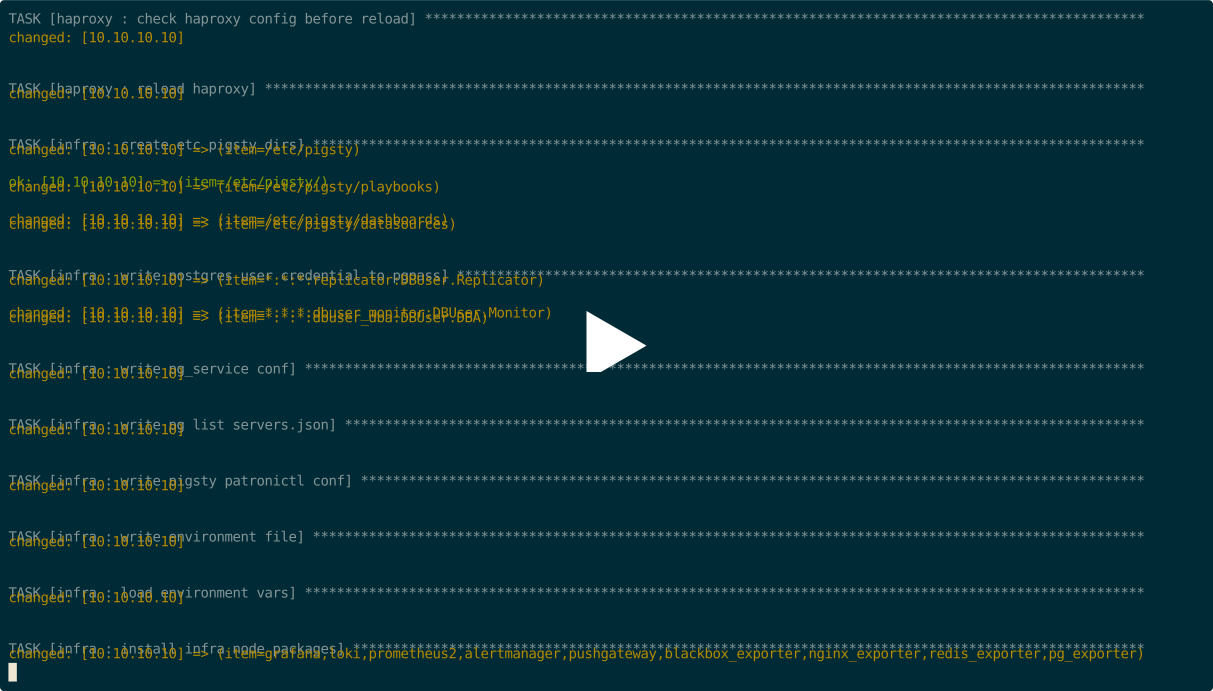
    • 完整执行大约需要 1 ~ 3 分钟,取决于机器配置和网络条件
    • 直接从原始上游源下载软件(不使用离线包)可能需要 5-10 分钟,取决于您的网络连接

演示

asciicast

可用任务

以下是 infra.yml playbook 中可用任务的列表:

#--------------------------------------------------------------#
# Tasks
#--------------------------------------------------------------#
# ca            : create self-signed CA in localhost files/pki
#   - ca_dir        : create CA directory
#   - ca_private    : generate CA private key: files/pki/ca/ca.key
#   - ca_cert       : sign CA certificate: files/pki/ca/ca.crt
#
# id            : generate node identity
#
# repo          : bootstrap a local YUM repository from internet or offline packages
#   - repo_dir      : create repository directory
#   - repo_check    : check repository exists
#   - repo_prepare  : use existing repository if exists
#   - repo_build    : build repository from upstream if not exists
#     - repo_upstream    : handle upstream repository files in /etc/yum.repos.d
#       - repo_remove    : remove existing repository file if repo_remove == true
#       - repo_add       : add upstream repository files to /etc/yum.repos.d
#     - repo_url_pkg     : download packages from internet defined by repo_url_packages
#     - repo_cache       : make upstream YUM cache with yum makecache
#     - repo_boot_pkg    : install bootstrap packages such as createrepo_c, yum-utils, etc.
#     - repo_pkg         : download packages & dependencies from upstream repository
#     - repo_create      : create a local YUM repository with createrepo_c & modifyrepo_c
#     - repo_use         : add newly built repository into /etc/yum.repos.d
#   - repo_nginx    : launch nginx for repository if no nginx is serving
#
# node/haproxy/docker/monitor : set up infra node as a common node (check node.yml)
#   - node_name, node_hosts, node_resolv, node_firewall, node_ca, node_repo, node_pkg
#   - node_feature, node_kernel, node_tune, node_sysctl, node_profile, node_ulimit
#   - node_data, node_admin, node_timezone, node_ntp, node_crontab, node_vip
#   - haproxy_install, haproxy_config, haproxy_launch, haproxy_reload
#   - docker_install, docker_admin, docker_config, docker_launch, docker_image
#   - haproxy_register, node_exporter, node_register, promtail
#
# infra         : set up infra components
#   - infra_env      : env_dir, env_pg, env_pgadmin, env_var
#   - infra_pkg      : infra_pkg_yum, infra_pkg_pip
#   - infra_user     : set up infra OS user group
#   - infra_cert     : issue certificate for infra components
#   - dns            : dns_config, dns_record, dns_launch
#   - nginx          : nginx_config, nginx_cert, nginx_static, nginx_launch, nginx_certbot, nginx_reload, nginx_exporter
#   - prometheus     : prometheus_clean, prometheus_dir, prometheus_config, prometheus_launch, prometheus_reload
#   - alertmanager   : alertmanager_config, alertmanager_launch
#   - pushgateway    : pushgateway_config, pushgateway_launch
#   - blackbox       : blackbox_config, blackbox_launch
#   - grafana        : grafana_clean, grafana_config, grafana_launch, grafana_provision
#   - loki           : loki clean, loki_dir, loki_config, loki_launch
#   - infra_register : register infra components to prometheus
#--------------------------------------------------------------#

infra-rm.yml

INFRA 模块 playbook infra-rm.yml 从配置文件的 infra 组中定义的 Infra 节点 移除 Pigsty 基础设施。

常见子任务包括:

./infra-rm.yml               # 移除 INFRA 模块
./infra-rm.yml -t service    # 停止 INFRA 上的基础设施服务
./infra-rm.yml -t data       # 移除 INFRA 上保留的数据
./infra-rm.yml -t package    # 卸载 INFRA 上安装的包

install.yml

INFRA 模块 playbook install.yml所有节点上执行 Pigsty 的完整一次性安装。

此 playbook 在 Playbook:一次性部署 中有更详细的描述。

6 - 监控

infra 模块的仪表板和告警规则

仪表板


告警规则

Pigsty 为 INFRA 模块提供以下两个告警规则:

  • InfraDown:基础设施组件宕机
  • AgentDown:监控代理宕机

您可以在 files/prometheus/rules/infra.yml 中修改或添加新的基础设施告警规则。

################################################################
#                Infrastructure Alert Rules                    #
################################################################
- name: infra-alert
  rules:

    #==============================================================#
    #                       Infra Aliveness                        #
    #==============================================================#
    # infra components (prometheus,grafana) down for 1m triggers a P1 alert
    - alert: InfraDown
      expr: infra_up < 1
      for: 1m
      labels: { level: 0, severity: CRIT, category: infra }
      annotations:
        summary: "CRIT InfraDown {{ $labels.type }}@{{ $labels.instance }}"
        description: |
          infra_up[type={{ $labels.type }}, instance={{ $labels.instance }}] = {{ $value  | printf "%.2f" }} < 1

    #==============================================================#
    #                       Agent Aliveness                        #
    #==============================================================#

    # agent aliveness are determined directly by exporter aliveness
    # including: node_exporter, pg_exporter, pgbouncer_exporter, haproxy_exporter

7 - FAQ

常见问题解答

INFRA 包含哪些组件

  • Ansible 用于自动化、部署和管理;
  • Nginx 用于公开任何 WebUI 服务并提供 YUM/APT 仓库;
  • 自签名 CA 用于 SSL/TLS 证书;
  • Prometheus 用于监控指标
  • Grafana 用于监控/可视化
  • Loki 用于日志收集
  • AlertManager 用于告警聚合
  • Chronyd 用于管理节点上的 NTP 时间同步。
  • DNSMasq 用于 DNS 注册和解析。
  • ETCD 作为 PostgreSQL HA 的 DCS(专用模块);
  • 元节点上的 PostgreSQL 作为 CMDB(可选);
  • Docker 用于无状态应用程序和工具(可选)。

如何恢复 Prometheus 目标

如果您意外删除了 Prometheus 目标目录,您可以使用以下方式再次向 Prometheus 注册监控目标:

./infra.yml -t register_prometheus  # 在基础设施节点上向 prometheus 注册所有基础设施目标
./node.yml  -t register_prometheus  # 在基础设施节点上向 prometheus 注册所有节点目标
./etcd.yml  -t register_prometheus  # 在基础设施节点上向 prometheus 注册所有 etcd 目标
./minio.yml -t register_prometheus  # 在基础设施节点上向 prometheus 注册所有 minio 目标
./pgsql.yml -t register_prometheus  # 在基础设施节点上向 prometheus 注册所有 pgsql 目标

如何恢复 Grafana 数据源

pg_databases 中的 PGSQL 数据库默认注册为 Grafana 数据源。

如果您意外删除了 Grafana 中注册的 postgres 数据源,您可以使用以下方式再次注册它们:

./pgsql.yml -t register_grafana  # 将所有 pgsql 数据库(在 pg_databases 中)注册为 grafana 数据源

如何恢复 HAProxy 管理页面代理

haproxy 管理页面由默认服务器下的 Nginx 代理。

如果您意外删除了 /etc/nginx/conf.d/haproxy 中注册的 haproxy 代理设置,您可以使用以下方式再次恢复它们:

./node.yml -t register_nginx     # 在基础设施节点上向 nginx 注册所有 haproxy 管理页面代理设置

如何恢复 DNS 注册

PGSQL 集群/实例域名默认注册到基础设施节点上的 /etc/hosts.d/<name>

您可以使用以下命令恢复它们:

./pgsql.yml -t pg_dns   # 在基础设施节点上向 dnsmasq 注册 pg DNS 名称

如何公开新的 Nginx 上游服务

如果您希望通过 Nginx 门户公开新的 WebUI 服务,您可以将服务定义添加到 infra_portal 参数。

并重新运行 ./infra.yml -t nginx_config,nginx_launch 来更新和应用 Nginx 配置。

如果您希望使用 HTTPS 访问,您必须删除 files/pki/csr/pigsty.csrfiles/pki/nginx/pigsty.{key,crt} 以强制重新生成 Nginx SSL/TLS 证书以包含新上游的域名。


如何通过 Nginx 公开 Web 服务?

虽然您可以通过 IP:Port 直接访问服务,但我们仍然建议通过使用域名并通过 Nginx 门户统一访问各种基于 Web 的服务来整合访问点。这种方法有助于集中访问、减少暴露的端口数量,并促进访问控制和审计。

如果您希望通过 Nginx 门户公开新的 WebUI 服务,您可以将服务定义添加到 infra_portal 参数。例如,这是公共演示站点使用的配置,它公开了几个额外的 Web 服务:

infra_portal:
  home         : { domain: home.pigsty.io }
  grafana      : { domain: g.pgsty.com ,endpoint: "${admin_ip}:3000" ,websocket: true }
  prometheus   : { domain: p.pigsty.io ,endpoint: "${admin_ip}:9058" }
  alertmanager : { domain: a.pigsty.io ,endpoint: "${admin_ip}:9059" }
  blackbox     : { endpoint: "${admin_ip}:9115" }
  loki         : { endpoint: "${admin_ip}:3100" }
  # 额外的 Web 门户
  minio        : { domain: sss.pigsty  ,endpoint: "${admin_ip}:9001" ,scheme: https ,websocket: true }
  postgrest    : { domain: api.pigsty.io  ,endpoint: "127.0.0.1:8884"   }
  pgadmin      : { domain: adm.pigsty.io  ,endpoint: "127.0.0.1:8885"   }
  pgweb        : { domain: cli.pigsty.io  ,endpoint: "127.0.0.1:8886"   }
  bytebase     : { domain: ddl.pigsty.io  ,endpoint: "127.0.0.1:8887"   }
  gitea        : { domain: git.pigsty.io  ,endpoint: "127.0.0.1:8889"   }
  wiki         : { domain: wiki.pigsty.io ,endpoint: "127.0.0.1:9002"   }
  noco         : { domain: noco.pigsty.io ,endpoint: "127.0.0.1:9003"   }
  supa         : { domain: supa.pigsty.io ,endpoint: "127.0.0.1:8000", websocket: true }

完成 Nginx 上游服务定义后,使用以下命令向 Nginx 注册新服务。

./infra.yml -t nginx_config           # 重新生成 Nginx 配置
./infra.yml -t nginx_launch           # 更新和应用 nginx 配置

# 您可以使用 ansible 重新加载 nginx
ansible infra -b -a 'nginx -s reload'  # 使用 ansible 重新加载 nginx

如果您希望通过 HTTPS 访问,您必须删除 files/pki/csr/pigsty.csrfiles/pki/nginx/pigsty.{key,crt} 以强制重新生成 Nginx SSL/TLS 证书以包含新的上游域名。如果您更愿意使用权威组织颁发的 SSL 证书而不是 Pigsty 自签名 CA 颁发的证书,您可以将其放在 /etc/nginx/conf.d/cert/ 目录中并修改相应的配置:/etc/nginx/conf.d/<name>.conf


如何手动添加上游仓库文件

Pigsty 有一个内置的包装脚本 bin/repo-add,它将调用 Ansible playbook node.yml 来向相应的节点添加仓库文件。

bin/repo-add <selector> [modules]
bin/repo-add 10.10.10.10           # 为节点 10.10.10.10 添加节点仓库
bin/repo-add infra   node,infra    # 为组 infra 添加节点和基础设施仓库
bin/repo-add infra   node,local    # 添加节点仓库和本地 pigsty 仓库
bin/repo-add pg-test node,pgsql    # 为组 pg-test 添加节点和 pgsql 仓库