Architecture
Architecture, core concepts, identity management
This is the multi-page printable view of this section. .
To deploy modules, you’ll have to enroll your linux servers into pigsty by installing the NODE module on them.
Architecture, core concepts, identity management
Configure node identities
Customize node components with 64 parameters
Setup VIP, manage monitoring node targets
Ansible playbooks that can be used in node module
Dashboards, metrics, record & alerting rules.
Frequently Asked Questions about node module
A "node" refers to a resource that is SSH accessible and offers a bare Linux OS environment.
It could be a physical machine, a virtual machine, or an OS-like container equipped with systemd, sudo and sshd.
There are three different types of nodes in Pigsty, In a one-node deployment, they are the same one.
| Node Type | Description |
|---|---|
| Admin node | The node where Pigsty is installed and admin commands are issued |
| Infra node | The node where the INFRA module is installed |
| Common node | Any nodes managed by Pigsty, including admin & infra nodes |
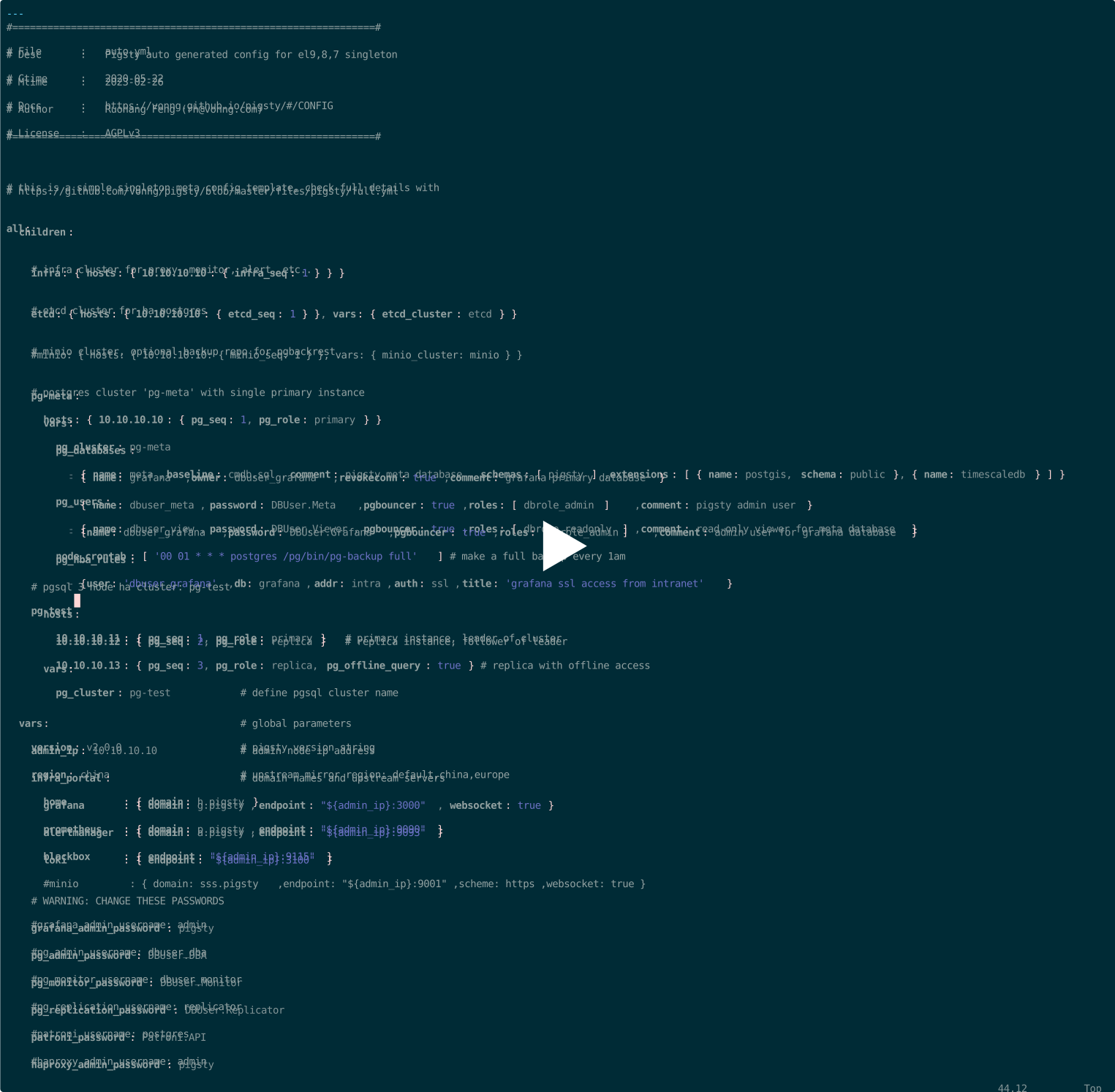
In the following 4-node sandbox config snippet, we have 4 common nodes.
And the 10.10.10.10 is marked as Infra Node and Admin Node simultaneously.
Common nodes have the following components enabled by default in Pigsty:
| Component | Port | Description | Default |
|---|---|---|---|
node_exporter |
9100 |
Node Monitoring Metrics Exporter | Enabled |
haproxy |
9101 |
HAProxy admin / metrics port | Enabled |
promtail |
9080 |
Log collecting agent | Enabled |
These components are optional, can be enabled with parameters.
| Component | Port | Description | Default |
|---|---|---|---|
docker |
9323 |
Enable Container Service | Disabled |
keepalived |
N/A | Manage Node Cluster L2 VIP | Disabled |
keepalived_exporter |
9650 |
Monitoring Keepalived Status | Disabled |
Admin Node is the first node where Pigsty is installed, all control commands are issued from it.
There is one and only one admin node in a pigsty deployment, which is specified by admin_ip.
This parameter will be set during the configure procedure, to the value of primary IP address.
The admin node is the first node where Pigsty is installed, and it is used to issue commands to other nodes.
The admin node is usually overlapped with the infra node, same as the first infra node
It is possible to install pigsty on your local laptop / macbook, install ansible and issue commands from there.
A pigsty deployment may have one or more infra nodes, at least 1, 2 or more for production deployment.
The infra group specifies infra nodes in the inventory.
And infra nodes will have INFRA module installed (DNS, Nginx, Prometheus, Grafana, etc…).
| Component | Port | Domain | Description |
|---|---|---|---|
nginx |
80 |
h.pigsty |
Web Service Portal (YUM/APT Repo) |
alertmanager |
9059 |
a.pigsty |
Alert Aggregation and delivery |
prometheus |
9058 |
p.pigsty |
Monitoring Time Series Database |
grafana |
3000 |
g.pigsty |
Visualization Platform |
lok |
3100 |
- | Logging Collection Server |
pushgateway |
9091 |
- | Collect One-Time Job Metrics |
blackbox_exporter |
9115 |
- | Blackbox Probing |
dnsmasq |
53 |
- | DNS Server |
chronyd |
123 |
- | NTP Time Server |
ansible |
- | - | Run playbooks |
The node with PGSQL module installed is called a PGSQL node. The node and PG instance are 1:1 deployed.
And node identities can be borrowed from pg instances with node_id_from_pg option.
Here are additional components & service port on PGSQL nodes:
| Component | Port | Description | Status |
|---|---|---|---|
postgres |
5432 |
PostgreSQL Server Process Managed by Patroni | Enabled |
pgbouncer |
6432 |
Pgbouncer Connection Pool | Enabled |
patroni |
8008 |
Patroni HA Component, Manage postgres |
Enabled |
primary @ haproxy |
5433 |
Primary connection pool: Read/Write Service | Enabled |
replica @ haproxy |
5434 |
Replica connection pool: Read-only Service | Enabled |
default @ haproxy |
5436 |
Primary Direct Connect Service | Enabled |
offline @ haproxy |
5438 |
Offline Direct Connect: Offline Read Service | Enabled |
pg_exporter |
9630 |
postgres Monitoring Metrics Exporter | Enabled |
pgbouncer_exporter |
9631 |
pgbouncer Monitoring Metrics Exporter | Enabled |
pgbackrest_exporter |
9854 |
pgbackrest Monitoring Metrics Exporter | Enabled |
vip-manager |
- | Bind VIP to the primary | Disabled |
You don’t need to define node cluster and node instances explicitly. It is often implied by other database module’s cluster definition. If you define a PGSQL cluster, it defines a node cluster implicitly.
But there are some cases where you may want to use explicit named node clusters / instances. Such as running node groups for dedicated purpose (e.g., haproxy groups, node buffer pool, etc…)
Pigsty uses node’s primary IPv4 address (inventory_hostname) as its identity.
| Name | Type | Level | Necessity | Comment |
|---|---|---|---|---|
inventory_hostname |
ip |
- | Required | Node IP |
nodename |
string |
I | Optional | Node Name |
node_cluster |
string |
C | Optional | Node cluster name |
The nodename & node_cluster can be used as optional secondary identity for monitoring purpose.
This can be useful when you just want to monitor these nodes rather than running database on them.
Because Pigsty is using a 1:1 mapping between NODE and PG instance (there’s only one PG instance per node), the node’s identity can be borrowed from corresponding PG instances:
| Name | Label | Level | Borrowed Identity | Comment |
|---|---|---|---|---|
nodename |
ins |
I | {{ pg_cluster }}-{{ pg_seq }} |
PG Instance Name |
node_cluster |
cls |
C | {{ pg_cluster }} |
PG Cluster Name |
This is default behavior, it’s convenient to have PG & NODE with the same cls / ins identity labels in the monitoring system.
This can be disabled by overwriting the node_id_from_pg param to false
If there’s no corresponding PG instance defined, and no explicit nodename & node_cluster defined,
the node will be labeled with cls as nodes and ins as the current hostname.
The inventory_hostname is used by Ansible to connect to the node via SSH.
If your node cannot be simply access via ssh <inventory_hostname>, ssh alias and more ansible conn param (even a different IP) can be used.
But the inventory_hostname is still the core identity of the node.
There are 10 sections, 65 parameters in the NODE module.
NODE_ID : Node identity parametersNODE_DNS : Node Domain Name ResolutionNODE_PACKAGE : Upstream Repo & Install PackagesNODE_TUNE : Node Tuning & FeaturesNODE_ADMIN : Admin User & SSH KeysNODE_TIME : Timezone, NTP, CrontabNODE_VIP : Optional L2 VIP among clusterHAPROXY : Expose services with HAProxyNODE_EXPORTER : Node monitoring agentPROMTAIL : Promtail logging agent| Name | Section | Type | Level | Comment |
|---|---|---|---|---|
nodename |
NODE_ID |
string |
I | node instance identity, use hostname if missing, optional |
node_cluster |
NODE_ID |
string |
C | node cluster identity, use ’nodes’ if missing, optional |
nodename_overwrite |
NODE_ID |
bool |
C | overwrite node’s hostname with nodename? |
nodename_exchange |
NODE_ID |
bool |
C | exchange nodename among play hosts? |
node_id_from_pg |
NODE_ID |
bool |
C | use postgres identity as node identity if applicable? |
node_write_etc_hosts |
NODE_DNS |
bool |
G/C/I | modify /etc/hosts on target node? |
node_default_etc_hosts |
NODE_DNS |
string[] |
G | static dns records in /etc/hosts |
node_etc_hosts |
NODE_DNS |
string[] |
C | extra static dns records in /etc/hosts |
node_dns_method |
NODE_DNS |
enum |
C | how to handle dns servers: add,none,overwrite |
node_dns_servers |
NODE_DNS |
string[] |
C | dynamic nameserver in /etc/resolv.conf |
node_dns_options |
NODE_DNS |
string[] |
C | dns resolv options in /etc/resolv.conf |
node_repo_modules |
NODE_PACKAGE |
string |
C | upstream repo to be added on node, local by default |
node_repo_remove |
NODE_PACKAGE |
bool |
C | remove existing repo on node? |
node_packages |
NODE_PACKAGE |
string[] |
C | packages to be installed current nodes |
node_default_packages |
NODE_PACKAGE |
string[] |
G | default packages to be installed on all nodes |
node_disable_firewall |
NODE_TUNE |
bool |
C | disable node firewall? true by default |
node_disable_selinux |
NODE_TUNE |
bool |
C | disable node selinux? true by default |
node_disable_numa |
NODE_TUNE |
bool |
C | disable node numa, reboot required |
node_disable_swap |
NODE_TUNE |
bool |
C | disable node swap, use with caution |
node_static_network |
NODE_TUNE |
bool |
C | preserve dns resolver settings after reboot |
node_disk_prefetch |
NODE_TUNE |
bool |
C | setup disk prefetch on HDD to increase performance |
node_kernel_modules |
NODE_TUNE |
string[] |
C | kernel modules to be enabled on this node |
node_hugepage_count |
NODE_TUNE |
int |
C | number of 2MB hugepage, take precedence over ratio |
node_hugepage_ratio |
NODE_TUNE |
float |
C | node mem hugepage ratio, 0 disable it by default |
node_overcommit_ratio |
NODE_TUNE |
float |
C | node mem overcommit ratio, 0 disable it by default |
node_tune |
NODE_TUNE |
enum |
C | node tuned profile: none,oltp,olap,crit,tiny |
node_sysctl_params |
NODE_TUNE |
dict |
C | sysctl parameters in k:v format in addition to tuned |
node_data |
NODE_ADMIN |
path |
C | node main data directory, /data by default |
node_admin_enabled |
NODE_ADMIN |
bool |
C | create a admin user on target node? |
node_admin_uid |
NODE_ADMIN |
int |
C | uid and gid for node admin user |
node_admin_username |
NODE_ADMIN |
username |
C | name of node admin user, dba by default |
node_admin_ssh_exchange |
NODE_ADMIN |
bool |
C | exchange admin ssh key among node cluster |
node_admin_pk_current |
NODE_ADMIN |
bool |
C | add current user’s ssh pk to admin authorized_keys |
node_admin_pk_list |
NODE_ADMIN |
string[] |
C | ssh public keys to be added to admin user |
node_aliases |
NODE_ADMIN |
dict |
C | extra shell aliases to be added, k:v dict |
node_timezone |
NODE_TIME |
string |
C | setup node timezone, empty string to skip |
node_ntp_enabled |
NODE_TIME |
bool |
C | enable chronyd time sync service? |
node_ntp_servers |
NODE_TIME |
string[] |
C | ntp servers in /etc/chrony.conf |
node_crontab_overwrite |
NODE_TIME |
bool |
C | overwrite or append to /etc/crontab? |
node_crontab |
NODE_TIME |
string[] |
C | crontab entries in /etc/crontab |
vip_enabled |
NODE_VIP |
bool |
C | enable vip on this node cluster? |
vip_address |
NODE_VIP |
ip |
C | node vip address in ipv4 format, required if vip is enabled |
vip_vrid |
NODE_VIP |
int |
C | required, integer, 1-254, should be unique among same VLAN |
vip_role |
NODE_VIP |
enum |
I | optional, master/backup, backup by default, use as init role |
vip_preempt |
NODE_VIP |
bool |
C/I | optional, true/false, false by default, enable vip preemption |
vip_interface |
NODE_VIP |
string |
C/I | node vip network interface to listen, eth0 by default |
vip_dns_suffix |
NODE_VIP |
string |
C | node vip dns name suffix, empty string by default |
vip_exporter_port |
NODE_VIP |
port |
C | keepalived exporter listen port, 9650 by default |
haproxy_enabled |
HAPROXY |
bool |
C | enable haproxy on this node? |
haproxy_clean |
HAPROXY |
bool |
G/C/A | cleanup all existing haproxy config? |
haproxy_reload |
HAPROXY |
bool |
A | reload haproxy after config? |
haproxy_auth_enabled |
HAPROXY |
bool |
G | enable authentication for haproxy admin page |
haproxy_admin_username |
HAPROXY |
username |
G | haproxy admin username, admin by default |
haproxy_admin_password |
HAPROXY |
password |
G | haproxy admin password, pigsty by default |
haproxy_exporter_port |
HAPROXY |
port |
C | haproxy admin/exporter port, 9101 by default |
haproxy_client_timeout |
HAPROXY |
interval |
C | client side connection timeout, 24h by default |
haproxy_server_timeout |
HAPROXY |
interval |
C | server side connection timeout, 24h by default |
haproxy_services |
HAPROXY |
service[] |
C | list of haproxy service to be exposed on node |
node_exporter_enabled |
NODE_EXPORTER |
bool |
C | setup node_exporter on this node? |
node_exporter_port |
NODE_EXPORTER |
port |
C | node exporter listen port, 9100 by default |
node_exporter_options |
NODE_EXPORTER |
arg |
C | extra server options for node_exporter |
promtail_enabled |
PROMTAIL |
bool |
C | enable promtail logging collector? |
promtail_clean |
PROMTAIL |
bool |
G/A | purge existing promtail status file during init? |
promtail_port |
PROMTAIL |
port |
C | promtail listen port, 9080 by default |
promtail_positions |
PROMTAIL |
path |
C | promtail position status file path |
NODE
The Node module tunes target nodes into the desired state and integrates them into the Pigsty monitoring system.
NODE_ID
Each node has identity parameters that are configured through the parameters in <cluster>.hosts and <cluster>.vars. Check NODE Identity for details.
nodename
name: nodename, type: string, level: I
node instance identity, use hostname if missing, optional
no default value, Null or empty string means nodename will be set to node’s current hostname.
If node_id_from_pg is true (by default) and nodename is not explicitly defined, nodename will try to use ${pg_cluster}-${pg_seq} first, if PGSQL is not defined on this node, it will fall back to default HOSTNAME.
If nodename_overwrite is true, the node name will also be used as the HOSTNAME.
node_cluster
name: node_cluster, type: string, level: C
node cluster identity, use ’nodes’ if missing, optional
default values: nodes
If node_id_from_pg is true (by default) and node_cluster is not explicitly defined, node_cluster will try to use ${pg_cluster} first, if PGSQL is not defined on this node, it will fall back to default HOSTNAME.
nodename_overwrite
name: nodename_overwrite, type: bool, level: C
overwrite node’s hostname with nodename?
default value is true, a non-empty node name nodename will override the hostname of the current node.
When the nodename parameter is undefined or an empty string, but node_id_from_pg is true, the node name will try to use {{ pg_cluster }}-{{ pg_seq }}, borrow identity from the 1:1 PostgreSQL Instance’s ins name.
No changes are made to the hostname if the nodename is undefined, empty, or an empty string and node_id_from_pg is false.
nodename_exchange
name: nodename_exchange, type: bool, level: C
exchange nodename among play hosts?
default value is false
When this parameter is enabled, node names are exchanged between the same group of nodes executing the node.yml playbook, written to /etc/hosts.
node_id_from_pg
name: node_id_from_pg, type: bool, level: C
use postgres identity as node identity if applicable?
default value is true
Borrow PostgreSQL cluster & instance identity if applicable.
It’s useful to use same identity for postgres & node if there’s a 1:1 relationship
NODE_DNS
Pigsty configs static DNS records and dynamic DNS resolver for nodes.
If you already have a DNS server, set node_dns_method to none to disable dynamic DNS setup.
name: node_write_etc_hosts, type: ‘bool’, level: G|C|I
modify /etc/hosts on target node?
For example, the docker VM can not modify /etc/hosts by default, so you can set this value to false to disable the modification.
node_default_etc_hosts
name: node_default_etc_hosts, type: string[], level: G
static dns records in /etc/hosts
default value:
node_default_etc_hosts is an array. Each element is a DNS record with format <ip> <name>.
It is used for global static DNS records. You can use node_etc_hosts for ad hoc records for each cluster.
Make sure to write a DNS record like 10.10.10.10 h.pigsty a.pigsty p.pigsty g.pigsty to /etc/hosts to ensure that the local yum repo can be accessed using the domain name before the DNS Nameserver starts.
node_etc_hosts
name: node_etc_hosts, type: string[], level: C
extra static dns records in /etc/hosts
default values: []
Same as node_default_etc_hosts, but in addition to it.
node_dns_method
name: node_dns_method, type: enum, level: C
how to handle dns servers: add,none,overwrite
default values: add
add: Append the records in node_dns_servers to /etc/resolv.conf and keep the existing DNS servers. (default)overwrite: Overwrite /etc/resolv.conf with the record in node_dns_serversnone: If a DNS server is provided in the production env, the DNS server config can be skipped.node_dns_servers
name: node_dns_servers, type: string[], level: C
dynamic nameserver in /etc/resolv.conf
default values: ["${admin_ip}"] , the default nameserver on admin node will be added to /etc/resolv.conf as the first nameserver.
node_dns_options
name: node_dns_options, type: string[], level: C
dns resolv options in /etc/resolv.conf, default value:
NODE_PACKAGE
This section is about upstream yum repos & packages to be installed.
node_repo_modules
name: node_repo_modules, type: string, level: C/A
upstream repo to be added on node, default value: local
This parameter specifies the upstream repo to be added to the node. It is used to filter the repo_upstream entries and only the entries with the same module value will be added to the node’s software source. Which is similar to the repo_modules parameter.
node_repo_remove
name: node_repo_remove, type: bool, level: C/A
remove existing repo on node?
default value is true, and thus Pigsty will move existing repo file in /etc/yum.repos.d to a backup dir: /etc/yum.repos.d/backup before adding upstream repos On Debian/Ubuntu, Pigsty will backup & move /etc/apt/sources.list(.d) to /etc/apt/backup.
node_packages
name: node_packages, type: string[], level: C
packages to be installed current nodes, default values: [openssh-server].
Each element is a comma-separated list of package names, which will be installed on the current node in addition to node_default_packages
Packages specified in this parameter will be upgraded to the latest version, and the default value is [openssh-server], which will upgrade sshd by default to avoid SSH CVE.
This parameter is usually used to install additional software packages that are ad hoc for the current node/cluster.
node_default_packages
name: node_default_packages, type: string[], level: G
default packages to be installed on all nodes, the default values is not defined.
This param is an array of strings, each string is a comma-separated list of package names, which will be installed on all nodes by default.
This param DOES NOT have a default value, you can specify it explicitly, or leave it empty if you want to use the default values.
When leaving it empty, Pigsty will use the default values from the node_packages_default defined in roles/node_id/vars according to you OS.
For EL system, the default values are:
For debian / ubuntu nodes, use this default value explicitly:
NODE_TUNE
Configure tuned templates, features, kernel modules, sysctl params on node.
node_disable_firewall
name: node_disable_firewall, type: bool, level: C
disable node firewall? true by default
default value is true
node_disable_selinux
name: node_disable_selinux, type: bool, level: C
disable node selinux? true by default
default value is true
node_disable_numa
name: node_disable_numa, type: bool, level: C
disable node numa, reboot required
default value is false
Boolean flag, default is not off. Note that turning off NUMA requires a reboot of the machine before it can take effect!
If you don’t know how to set the CPU affinity, it is recommended to turn off NUMA.
node_disable_swap
name: node_disable_swap, type: bool, level: C
disable node swap, use with caution
default value is false
Turning off SWAP is not recommended. However, SWAP should be disabled when your node is used for a Kubernetes deployment.
If there is enough memory and the database is deployed exclusively, it may slightly improve performance
node_static_network
name: node_static_network, type: bool, level: C
preserve dns resolver settings after reboot, default value is true
Enabling static networking means that machine reboots will not overwrite your DNS Resolv config with NIC changes. It is recommended to enable it in production environment.
node_disk_prefetch
name: node_disk_prefetch, type: bool, level: C
setup disk prefetch on HDD to increase performance
default value is false, Consider enable this when using HDD.
node_kernel_modules
name: node_kernel_modules, type: string[], level: C
kernel modules to be enabled on this node
default value:
An array consisting of kernel module names declaring the kernel modules that need to be installed on the node.
node_hugepage_count
name: node_hugepage_count, type: int, level: C
number of 2MB hugepage, take precedence over ratio, 0 by default
Take precedence over node_hugepage_ratio. If a non-zero value is given, it will be written to /etc/sysctl.d/hugepage.conf
If node_hugepage_count and node_hugepage_ratio are both 0 (default), hugepage will be disabled at all.
Negative value will not work, and number higher than 90% node mem will be ceil to 90% of node mem.
It should slightly larger than pg_shared_buffer_ratio, if not zero.
node_hugepage_ratio
name: node_hugepage_ratio, type: float, level: C
node mem hugepage ratio, 0 disable it by default, valid range: 0 ~ 0.40
default values: 0, which will set vm.nr_hugepages=0 and not use HugePage at all.
Percent of this memory will be allocated as HugePage, and reserved for PostgreSQL.
It should be equal or slightly larger than pg_shared_buffer_ratio, if not zero.
For example, if you have default 25% mem for postgres shard buffers, you can set this value to 0.27 ~ 0.30, Wasted hugepage can be reclaimed later with /pg/bin/pg-tune-hugepage
node_overcommit_ratio
name: node_overcommit_ratio, type: int, level: C
node mem overcommit ratio, 0 disable it by default. this is an integer from 0 to 100+ .
default values: 0, which will set vm.overcommit_memory=0, otherwise vm.overcommit_memory=2 will be used, and this value will be used as vm.overcommit_ratio.
It is recommended to set use a vm.overcommit_ratio on dedicated pgsql nodes. e.g. 50 ~ 100.
node_tune
name: node_tune, type: enum, level: C
node tuned profile: none,oltp,olap,crit,tiny
default values: oltp
tiny: Micro Virtual Machine (1 ~ 3 Core, 1 ~ 8 GB Mem)oltp: Regular OLTP templates with optimized latencyolap : Regular OLAP templates to optimize throughputcrit: Core financial business templates, optimizing the number of dirty pagesUsually, the database tuning template pg_conf should be paired with the node tuning template: node_tune
node_sysctl_params
name: node_sysctl_params, type: dict, level: C
sysctl parameters in k:v format in addition to tuned
default values: {}
Dictionary K-V structure, Key is kernel sysctl parameter name, Value is the parameter value.
You can also define sysctl parameters with tuned profile
NODE_ADMIN
This section is about admin users and it’s credentials.
node_data
name: node_data, type: path, level: C
node main data directory, /data by default
default values: /data
If specified, this path will be used as major data disk mountpoint. And a dir will be created and throwing a warning if path not exists.
The data dir is owned by root with mode 0777.
node_admin_enabled
name: node_admin_enabled, type: bool, level: C
create a admin user on target node?
default value is true
Create an admin user on each node (password-free sudo and ssh), an admin user named dba (uid=88) will be created by default, which can access other nodes in the env and perform sudo from the meta node via SSH password-free.
node_admin_uid
name: node_admin_uid, type: int, level: C
uid and gid for node admin user
default values: 88
node_admin_username
name: node_admin_username, type: username, level: C
name of node admin user, dba by default
default values: dba
node_admin_ssh_exchange
name: node_admin_ssh_exchange, type: bool, level: C
exchange admin ssh key among node cluster
default value is true
When enabled, Pigsty will exchange SSH public keys between members during playbook execution, allowing admins node_admin_username to access each other from different nodes.
node_admin_pk_current
name: node_admin_pk_current, type: bool, level: C
add current user’s ssh pk to admin authorized_keys
default value is true
When enabled, on the current node, the SSH public key (~/.ssh/id_rsa.pub) of the current user is copied to the authorized_keys of the target node admin user.
When deploying in a production env, be sure to pay attention to this parameter, which installs the default public key of the user currently executing the command to the admin user of all machines.
node_admin_pk_list
name: node_admin_pk_list, type: string[], level: C
ssh public keys to be added to admin user
default values: []
Each element of the array is a string containing the key written to the admin user ~/.ssh/authorized_keys, and the user with the corresponding private key can log in as an admin user.
When deploying in production envs, be sure to note this parameter and add only trusted keys to this list.
node_aliases
name: node_aliases, type: dict, level: C/I
extra aliases to be added to admin user’s shell profile
default values: {}
You can add extra shell aliases to it, pigsty will add these aliases to the /etc/profile.d/node.alias.sh file on the target node:
This will generate:
NODE_TIME
node_timezone
name: node_timezone, type: string, level: C
setup node timezone, empty string to skip
default value is empty string, which will not change the default timezone (usually UTC)
node_ntp_enabled
name: node_ntp_enabled, type: bool, level: C
enable chronyd time sync service?
default value is true, and thus Pigsty will override the node’s /etc/chrony.conf by with node_ntp_servers.
If you already a NTP server configured, just set to false to leave it be.
node_ntp_servers
name: node_ntp_servers, type: string[], level: C
ntp servers in /etc/chrony.conf, default value: ["pool pool.ntp.org iburst"]
It only takes effect if node_ntp_enabled is true.
You can use ${admin_ip} to sync time with ntp server on admin node rather than public ntp server.
node_crontab_overwrite
name: node_crontab_overwrite, type: bool, level: C
overwrite or append to /etc/crontab?
default value is true, and pigsty will render records in node_crontab in overwrite mode rather than appending to it.
node_crontab
name: node_crontab, type: string[], level: C
crontab entries in /etc/crontab
default values: []
NODE_VIP
You can bind an optional L2 VIP among one node cluster, which is disabled by default.
L2 VIP can only be used in same L2 LAN, which may incurs extra restrictions on your network topology.
If enabled, You have to manually assign the vip_address and vip_vrid for each node cluster.
It is user’s responsibility to ensure that the address / vrid is unique among the same LAN.
vip_enabled
name: vip_enabled, type: bool, level: C
enable vip on this node cluster? default value is false, means no L2 VIP is created for this node cluster.
L2 VIP can only be used in same L2 LAN, which may incurs extra restrictions on your network topology.
vip_address
name: vip_address, type: ip, level: C
node vip address in IPv4 format, required if node vip_enabled.
no default value. This parameter must be explicitly assigned and unique in your LAN.
vip_vrid
name: vip_vrid, type: int, level: C
integer, 1-254, should be unique in same VLAN, required if node vip_enabled.
no default value. This parameter must be explicitly assigned and unique in your LAN.
vip_role
name: vip_role, type: enum, level: I
node vip role, could be master or backup, will be used as initial keepalived state.
vip_preempt
name: vip_preempt, type: bool, level: C/I
optional, true/false, false by default, enable vip preemption
default value is false, means no preempt is happening when a backup have higher priority than living master.
vip_interface
name: vip_interface, type: string, level: C/I
node vip network interface to listen, eth0 by default.
It should be the same primary intranet interface of your node, which is the IP address you used in the inventory file.
If your node have different interface, you can override it on instance vars
vip_dns_suffix
name: vip_dns_suffix, type: string, level: C/I
node vip dns name suffix, empty string by default. It will be used as the DNS name of the node VIP.
vip_exporter_port
name: vip_exporter_port, type: port, level: C/I
keepalived exporter listen port, 9650 by default.
HAPROXY
HAProxy is installed on every node by default, exposing services in a NodePort manner.
haproxy_enabled
name: haproxy_enabled, type: bool, level: C
enable haproxy on this node?
default value is true
haproxy_clean
name: haproxy_clean, type: bool, level: G/C/A
cleanup all existing haproxy config?
default value is false
haproxy_reload
name: haproxy_reload, type: bool, level: A
reload haproxy after config?
default value is true, it will reload haproxy after config change.
If you wish to check before apply, you can turn off this with cli args and check it.
haproxy_auth_enabled
name: haproxy_auth_enabled, type: bool, level: G
enable authentication for haproxy admin page
default value is true, which will require a http basic auth for admin page.
disable it is not recommended, since your traffic control will be exposed
haproxy_admin_username
name: haproxy_admin_username, type: username, level: G
haproxy admin username, admin by default
haproxy_admin_password
name: haproxy_admin_password, type: password, level: G
haproxy admin password, pigsty by default
PLEASE CHANGE IT IN YOUR PRODUCTION ENVIRONMENT!
haproxy_exporter_port
name: haproxy_exporter_port, type: port, level: C
haproxy admin/exporter port, 9101 by default
haproxy_client_timeout
name: haproxy_client_timeout, type: interval, level: C
client side connection timeout, 24h by default
haproxy_server_timeout
name: haproxy_server_timeout, type: interval, level: C
server side connection timeout, 24h by default
haproxy_services
name: haproxy_services, type: service[], level: C
list of haproxy service to be exposed on node, default values: []
Each element is a service definition, here is an ad hoc haproxy service example:
It will be rendered to /etc/haproxy/<service.name>.cfg and take effect after reload.
NODE_EXPORTER
node_exporter_enabled
name: node_exporter_enabled, type: bool, level: C
setup node_exporter on this node? default value is true
node_exporter_port
name: node_exporter_port, type: port, level: C
node exporter listen port, 9100 by default
node_exporter_options
name: node_exporter_options, type: arg, level: C
extra server options for node_exporter, default value: --no-collector.softnet --no-collector.nvme --collector.tcpstat --collector.processes
Pigsty enables tcpstat, processes collectors and disable nvme, softnet metrics collectors by default.
PROMTAIL
Promtail will collect logs from other modules, and send them to LOKI
INFRA: Infra logs, collected only on infra nodes.
nginx-access: /var/log/nginx/access.lognginx-error: /var/log/nginx/error.loggrafana: /var/log/grafana/grafana.logNODES: Host node logs, collected on all nodes.
syslog: /var/log/messagesdmesg: /var/log/dmesgcron: /var/log/cronPGSQL: PostgreSQL logs, collected when a node is defined with pg_cluster.
postgres: /pg/log/postgres/*patroni: /pg/log/patroni.logpgbouncer: /pg/log/pgbouncer/pgbouncer.logpgbackrest: /pg/log/pgbackrest/*.logREDIS: Redis logs, collected when a node is defined with redis_cluster.
redis: /var/log/redis/*.logLog directory are customizable according to
pg_log_dir,patroni_log_dir,pgbouncer_log_dir,pgbackrest_log_dir
promtail_enabled
name: promtail_enabled, type: bool, level: C
enable promtail logging collector?
default value is true
promtail_clean
name: promtail_clean, type: bool, level: G/A
purge existing promtail status file during init?
default value is false, if you choose to clean, Pigsty will remove the existing state file defined by promtail_positions which means that Promtail will recollect all logs on the current node and send them to Loki again.
promtail_port
name: promtail_port, type: port, level: C
promtail listen port, 9080 by default
default values: 9080
promtail_positions
name: promtail_positions, type: path, level: C
promtail position status file path
default values: /var/log/positions.yaml
Promtail records the consumption offsets of all logs, which are periodically written to the file specified by promtail_positions.
Node admin SOP, add & remove node, setup admin, bind vip and miscellany
Here are some common administration tasks for NODE module.
To add a node into Pigsty, you need to have nopass ssh/sudo access to the node
To remove a node from Pigsty, you can use the following:
If the current user does not have nopass ssh/sudo access to the node, you can use another admin user to bootstrap the node:
You can bind an optional L2 VIP on a node cluster with vip_enabled.
Pigsty has four pre-defined tuned profiles for different work loads:
| Profile | Description | Scenario |
|---|---|---|
TINY |
Optimize for running on small VM | spec < 4c8g |
OLTP |
Optimize for latency | Default, transaction processing |
OLAP |
Optimize for throughput | analytic workloads |
CRIT |
Optimize for reliability | finance, critical |
You can also manage tuned profiles with tuned-adm command on nodes:
You can manage kernel modules with node_kernel_modules in node.yml.
To manage kernel modules manually, you can use the following commands on nodes:
Pigsty provides two playbooks for node management:
| Playbook | Purpose | Usage | Scope |
|---|---|---|---|
node.yml |
Add node to pigsty | ./node.yml -l <target> |
Single node or cluster |
node-rm.yml |
Remove node from pigsty | ./node-rm.yml -l <target> |
Single node or cluster |
node.yml
The node.yml playbook transforms bare computing resources into fully configured, monitored, and service-ready nodes within your Pigsty infrastructure. This comprehensive automation handles everything from basic OS configuration to advanced monitoring setup.
node-rm.yml
The node-rm.yml playbook performs clean, comprehensive removal of nodes from your Pigsty infrastructure. This automation ensures all services, configurations, and monitoring integrations are properly deregistered and cleaned up, preventing orphaned resources and maintaining system hygiene.
There are 6 dashboards for NODE module.
NODE Overview: Overview of all nodes
NODE Cluster: Detail information about one dedicated node cluster
NODE Instance : Detail information about one single node instance
NODE Alert: Overview of key metrics of all node clusters/instances
NODE VIP: Detail information about a L2 VIP on a node cluster
NODE Haproxy : Detail information about haproxy load balancer
Here are default alerting rules for node module:
If NTP is not configured, use a public NTP service or sync time with the admin node.
If your nodes already have NTP configured, you can leave it there by setting node_ntp_enabled to false.
Otherwise, if you have Internet access, you can use public NTP services such as pool.ntp.org.
If you don’t have Internet access, at least you can sync time with the admin node with the following:
Use chronyc to sync time. You have to configure the NTP service first.
You can replace all with any group or host IP address to limit execution scope.
Consider using Ansible connection parameters if the target machine is hidden behind an SSH springboard machine, or if some customizations have been made that cannot be accessed directly using ssh ip. Additional SSH ports can be specified with ansible_port or ansible_host for SSH Alias.
When performing deployments and changes, the admin user used must have ssh and sudo privileges for all nodes. Password-free is not required.
You can pass in ssh and sudo passwords via the -k|-K parameter when executing the playbook or even use another user to run the playbook via -eansible_host=<another_user>. However, Pigsty strongly recommends configuring SSH passwordless login with passwordless sudo for the admin user.
This will create an admin user specified by node_admin_username using the existing admin user on that node.
You can expose service with haproxy_services in node.yml.
And here’s an example of exposing MinIO service with it: Expose MinIO Service
Pigsty will try to include all dependencies in the local yum repo on infra nodes. This repo file will be added according to node_repo_modules. And existing repo files will be removed by default according to the default value of node_repo_remove. This will prevent the node from using the Internet repo or some stupid issues.
If you want to keep existing repo files during node init, just set node_repo_remove to false.
If you want to keep existing repo files during infra node local repo bootstrap, just set repo_remove to false.
The pigsty prompt is defined with the environment variable PS1 in /etc/profile.d/node.sh.
To restore your existing prompt, just remove that file and login again.
OpenCloudOS does not have softdog module, overwrite node_kernel_modules on global vars: